What a setup package is
Setting xconversions up yourself is free: the setup checklist takes you through it. If you would rather have our team do it with you, or for you, ask for a setup package. A package is optional, and paid once.
The packages are at the foot of Plan & billing in Settings, under Setup and onboarding.
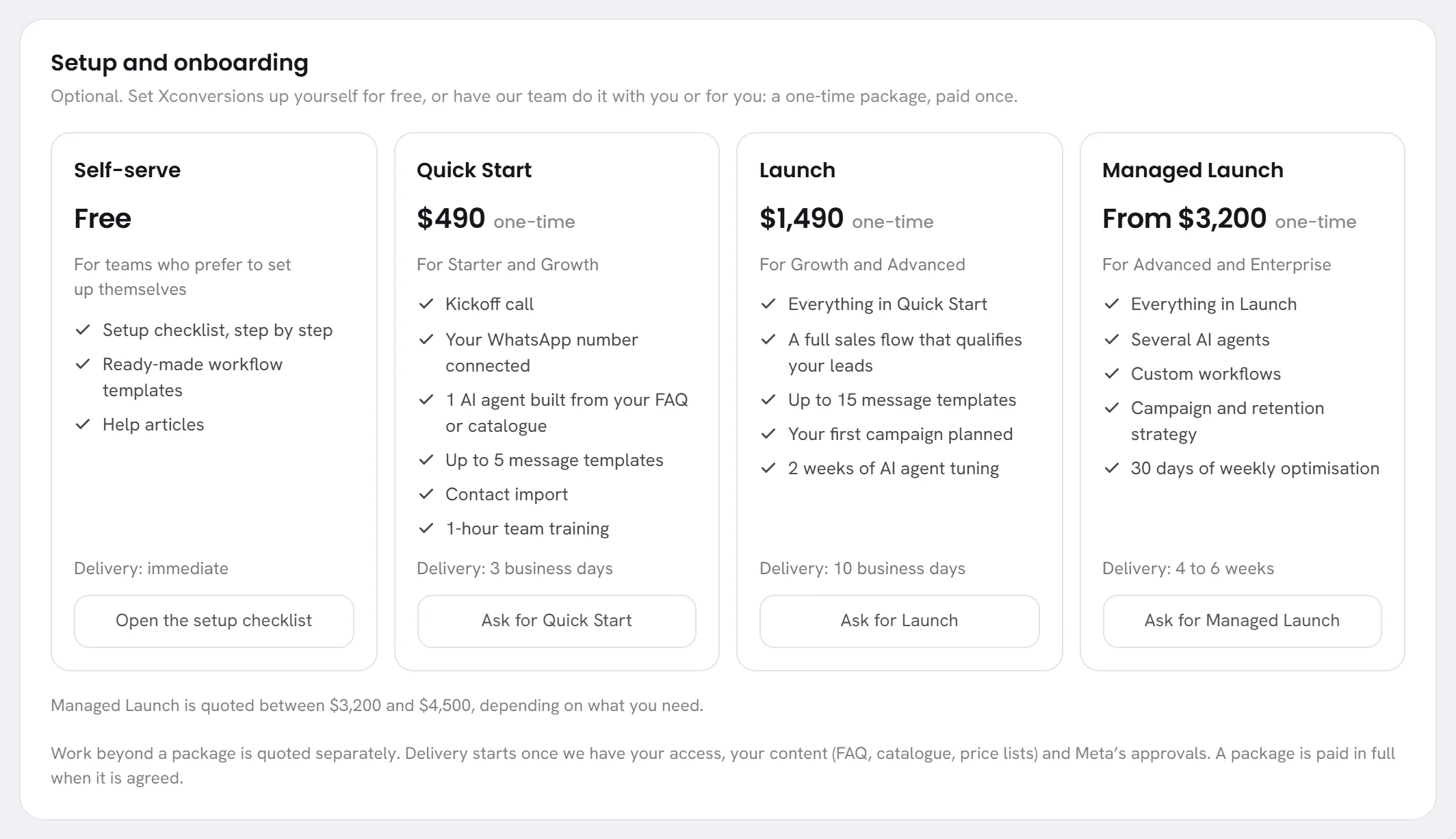
What a card says
- The package’s name.
- Its price, marked One-time, or Free. A price that begins with “From” is quoted to you: the line under the cards gives the two amounts it lies between.
- Who it is for.
- What it includes, line by line.
- How long delivery takes.
- Its button.
| Package | In short |
|---|---|
| Self-serve | You set up yourself, with the setup checklist and these help articles. Its button, Open the setup checklist, takes you there. |
| Quick Start | Our team starts you off: a kickoff call, your number connected, a first AI agent built from your own content, your first templates, your contacts imported, and a training session for your team. |
| Launch | Everything in Quick Start, and more: a sales flow that qualifies your leads, more templates, your first campaign planned, and your agent tuned over its first weeks. |
| Managed Launch | Everything in Launch, and more: several AI agents, workflows made for you, a campaign and retention strategy, and weekly optimisation after the launch. |
The card on your screen is what counts for what a package includes today, and for how long it takes.
Ask for a package
Open Settings, then Plan & billing, and go down to Setup and onboarding.
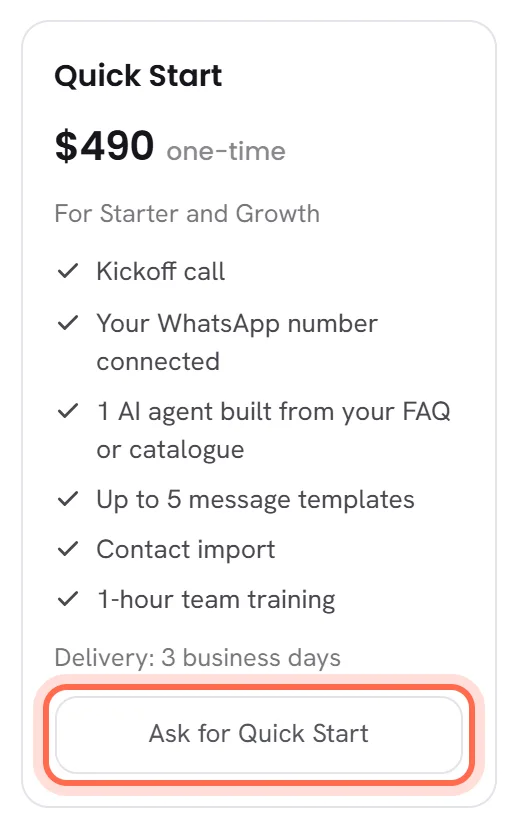
Press the button at the foot of the package’s card, for example Ask for Quick Start.
A message confirms that the package was asked for, and gives a reference.
Asking files a request with our team. Nothing is charged, and nothing is agreed yet.
Follow the request in the Help panel.
Our team writes to you there, and by email, to agree what you need, the price and when to start. See Follow a request.
Good to know
- Who can ask: people whose access includes The workspace and billing. The others see the cards, and a line saying who can ask.
- You can ask during a free trial, and after it has ended.
- A request can be refused when several were filed in a short time. The message says why: wait, then ask again.
- Asking for a package is written in the activity log.