What consent is
WhatsApp asks every business to write first only to people who agreed to hear from it, and to stop when somebody asks. The rule itself is explained in Opt-in and opt-out.
For each contact the app keeps one answer to that question, and it checks it again at the moment every message is about to leave. A message that may not go is not sent to WhatsApp at all.
The three states of a contact
| Badge in the list | Filter | What it means | What is sent |
|---|---|---|---|
| Can message | can message | The person agreed, or wrote to you first. | Everything WhatsApp allows: answers, the AI agent’s replies, campaigns, workflows. |
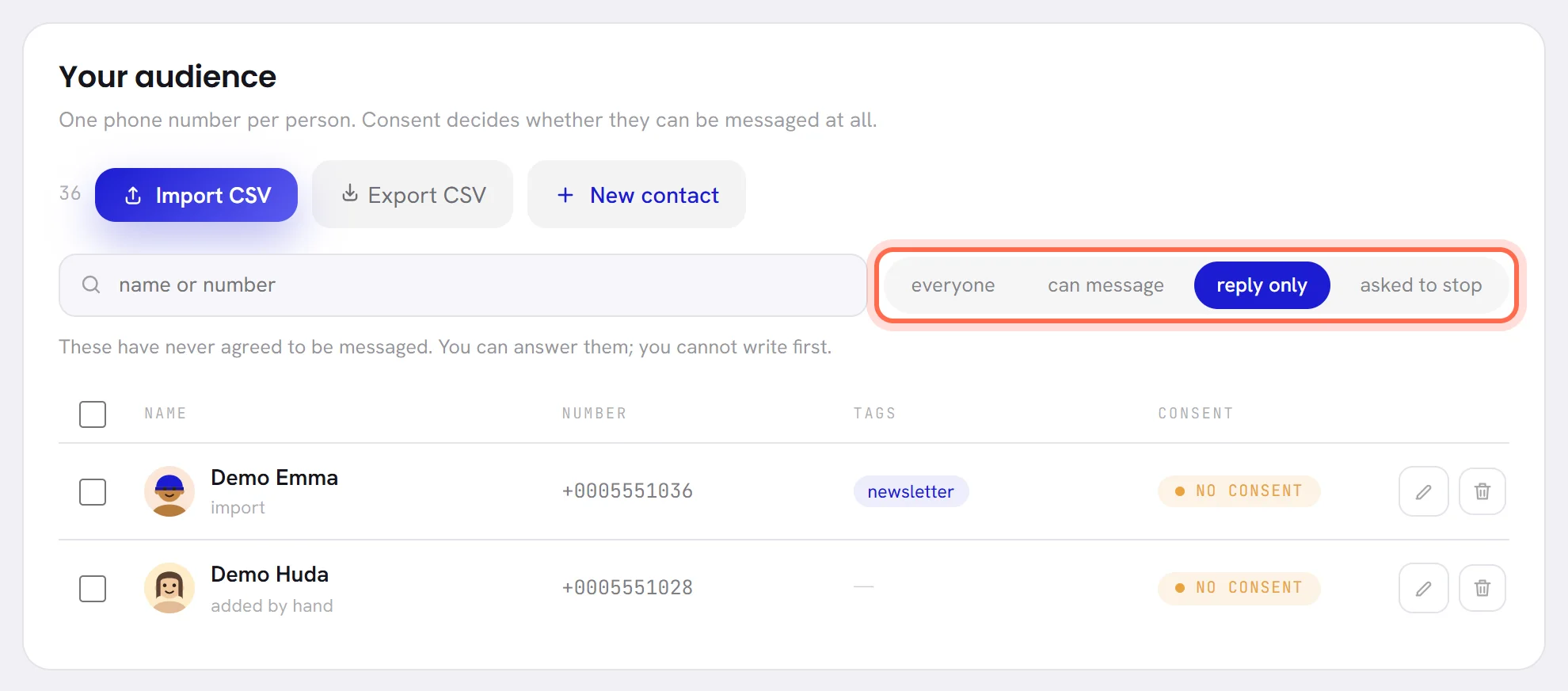
| No consent | reply only | Nobody recorded that they agreed. They never asked you to stop. | Nothing, until consent is recorded on the contact. |
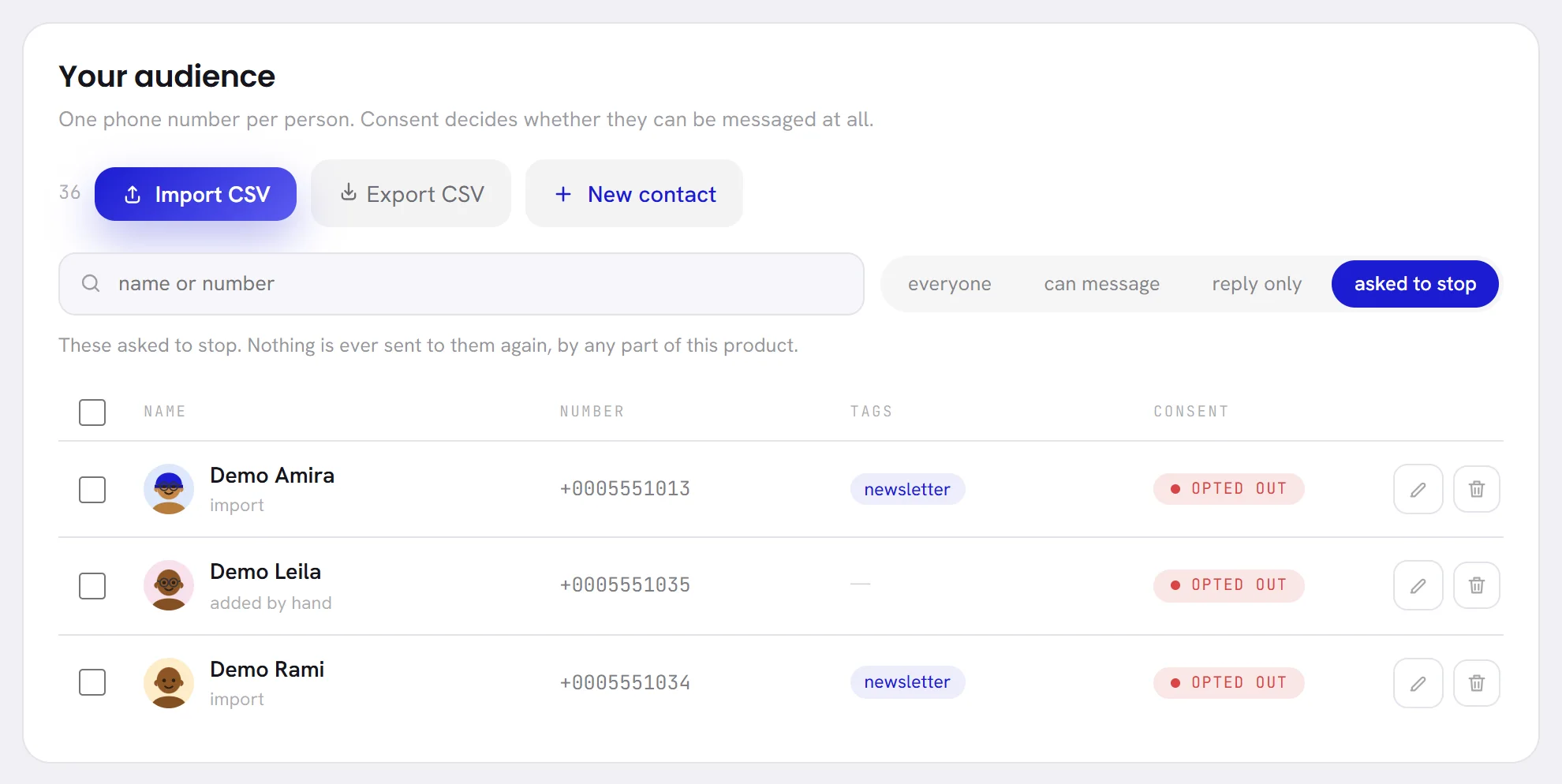
| Opted out | asked to stop | They asked you to stop. | Nothing, ever. |
Where consent shows
- In Contacts: the badge in the Consent column, the four filters, and the figures Can be messaged and Asked us to stop at the top.
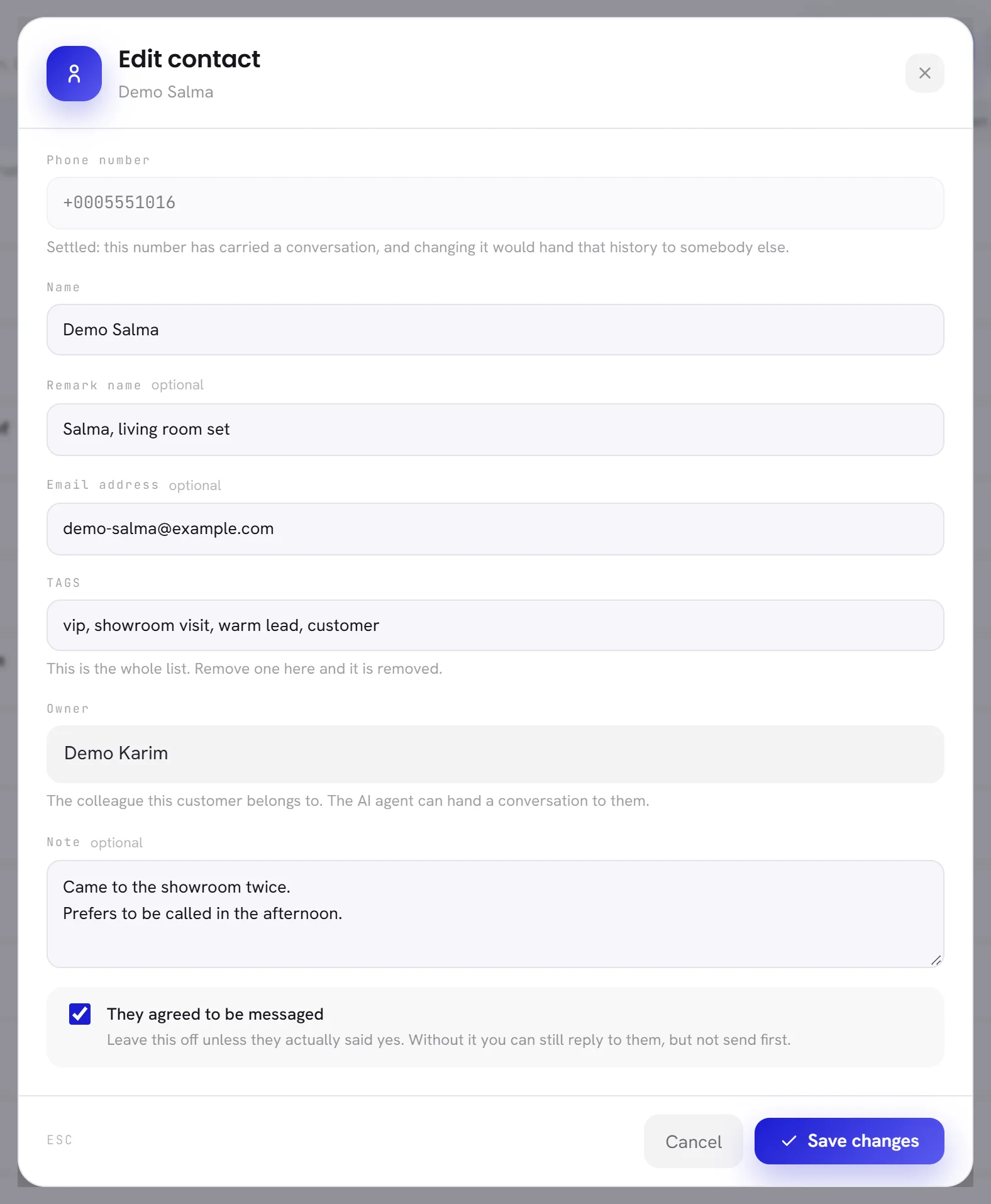
- In the Edit contact window: the box They agreed to be messaged, or a red line with the date for somebody who asked to stop.
- In a conversation: the contact’s details open with the same words as the filters.
- In Segments: each segment counts the people it matches who cannot be messaged, with or without having asked to stop. See Segments overview.
- In Reports: how many people you can message, and how many opted out in the period. See Consent and refusals.
- In the export: a column that says
may be messagedoropted out.
Record consent
A contact is marked Can message in two ways: they wrote to your number first, or somebody in your team ticked the box.
Open Contacts and click the pencil on the contact’s row.
Tick They agreed to be messaged.
Tick it only when the person said yes: in your shop, on a form, by message. Keep the proof of it yourself; the app does not store it.
Click Save changes.
- Contacts from an import and from a phone’s address book start as No consent. So does a contact added by hand without the box.
- A contact who was created by a file or by hand and writes to you later keeps the mark they had. Writing to you does not tick the box.
- Consent is recorded one contact at a time. There is no way to tick the box for many contacts at once.
- To stop writing to somebody who asked you in person or by phone, untick the box and save. They become No consent and nothing more is sent to them. This is not the permanent opt-out: the box can be ticked again.
What the app refuses to send
These rules apply to every contact who is not marked Can message.
| What would send | What happens |
|---|---|
| A campaign | The contact is left out before it starts: a campaign counts and reaches only the people of its segment who can be messaged. Somebody who opts out after the launch is skipped when their turn comes. |
| A workflow | The step’s message is refused when it is about to go. The trigger’s option Filter blocklist keeps people who asked to stop from entering at all. |
| Your AI agent | It does not answer, and it does not send the follow-ups it had planned. |
| A reply typed in the inbox | It is not sent. It stays in the conversation marked not delivered, with the reason under it. |
The check is made when a message is about to leave, not when it was written or planned. A request to stop that arrives in the middle of a campaign stops the rest of it for that person.
How a contact opts out
A contact opts out by sending one of the words below as their whole message. Capital letters, punctuation and emoji around the word do not matter: STOP, Stop. and stop 🙏 all count.
| Language | Words the app recognises |
|---|---|
| English | stop, unsubscribe, cancel, quit, end, optout, opt out, remove me |
| Arabic | توقف, إيقاف, إلغاء, إلغاء الاشتراك, لا أريد, with or without the hamza and the vowel marks |
| French | stop, arrêt, annuler, désabonner, with or without the accents, and me desabonner without the accent |
| Spanish | baja, dar de baja, darme de baja, cancelar, cancelar suscripción, desuscribir, desuscribirme, parar, basta, no más mensajes, no me escriban más, with or without the accents |
- The word has to be the whole message.
Please stoporStop sending me offersis not read as an opt-out: it reaches the conversation like any other message, for a person to act on. - It counts when it is typed, when it is said in a voice note the app could read, and when it is the text of a template’s quick reply button the customer tapped.
- It counts whoever holds the conversation: the AI agent, a colleague, or nobody.
What happens when somebody opts out
It happens by itself. Nobody in your team has to do anything.
The contact is marked Opted out, with the date.
They leave every workflow they were in.
Their conversation is closed, and a line in it says that the customer opted out.
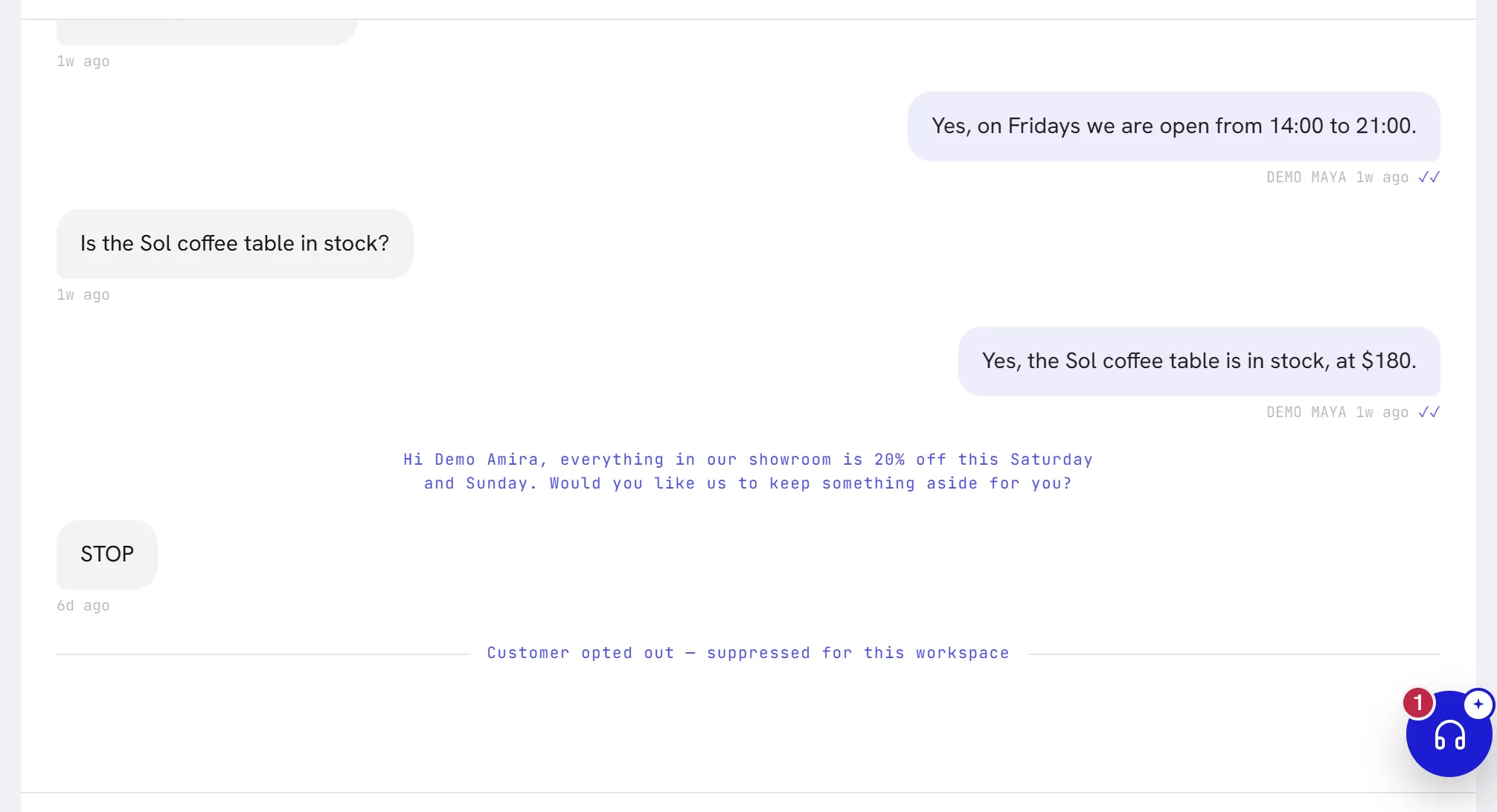
Nothing is sent back, not even a confirmation.
From then on every message to them is refused, as described above.
When a number shared with the WhatsApp Business app brings its earlier conversations across, the app reads them the same way: a contact who once sent one of these words arrives already marked Opted out.
An opt-out is permanent
Nothing in the app can undo an opt-out: not editing the contact, not importing a file, not the address book of your phone. Data & privacy in Settings says the same under What this product keeps.
- The Edit contact window has no consent box for these contacts.
- If they write to you again, their message arrives in the inbox, but the conversation stays closed, the AI agent does not answer and a reply from you is refused. There is no way for a contact to opt back in from WhatsApp.
- If a customer who opted out tells you they want your messages again, write to us.
Marketing switched off in WhatsApp
A customer can also switch off the marketing messages of one business inside WhatsApp, without writing anything. WhatsApp tells the app when they do, and when they switch them on again.
- Their consent does not change: answers and templates of the Utility category still reach them.
- Templates of the Marketing category are skipped for them. A campaign’s results give the reason:
the customer turned off marketing messages from this business in WhatsApp. - A workflow leaves them out when its trigger’s option Filter WhatsApp unsubscribers is on.
- It does not show on the contact in Contacts.
Questions
A customer wrote to us and nobody can answer. Why?
Look at the contact’s badge. If it is No consent, the contact came from a file, a phone’s address book or was added by hand, and the app sends them nothing. If the person agreed to hear from you, tick They agreed to be messaged on the contact, save, and answer again.
Does a customer have to write STOP in capitals?
No. Capitals, a full stop or an emoji make no difference. The word only has to be the whole message.
How do customers learn the word?
A Marketing template made here ends with the footer Reply STOP to opt out unless you write another one. See the opt-out footer.
Can I opt somebody out myself, for good?
Not for good. Unticking They agreed to be messaged stops every message to them, and can be reversed. Only the customer’s own word makes the permanent opt-out.