Send at a set time
On the Schedule step of the campaign window, choose At a set time.
The other choice, When I launch it, starts sending the moment you send the campaign.
Set Date and time.
The time is read on your workspace’s clock: the one chosen under Time zone in Settings, on the Workspace tab. It is not the clock of the computer you are sitting at, and not each customer’s own. See Workspace settings.
It has to be in the future. Sending starts at that one moment for the whole audience.
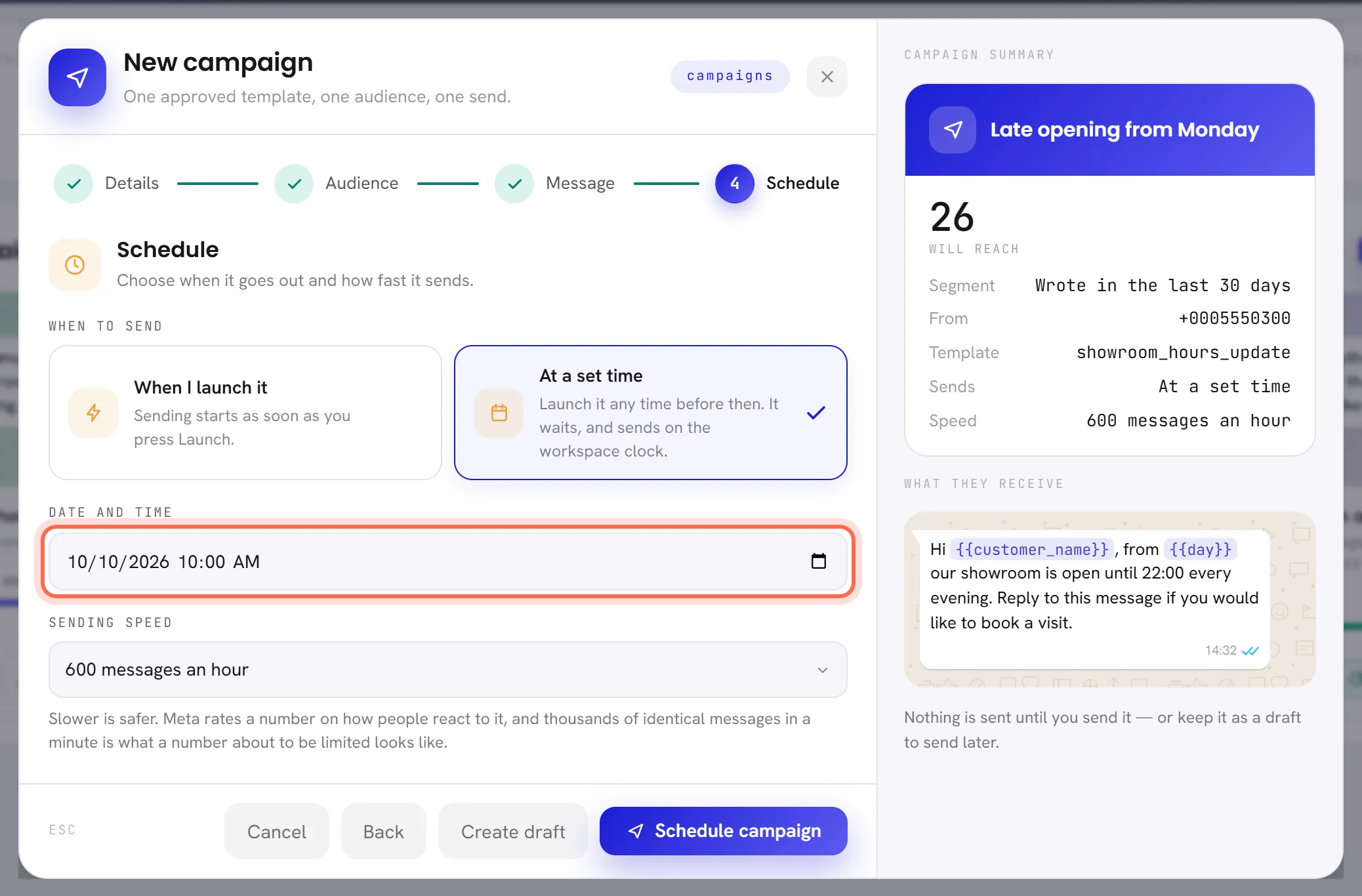
Press Schedule campaign.
The campaign becomes Scheduled and its card says when it starts, as Sends 8 Oct 2026 · 10:00. Its audience is fixed now, not at the set time: contacts who join the segment afterwards are not in it. Consent is checked again as each message goes, so somebody who opts out in between is not written to.
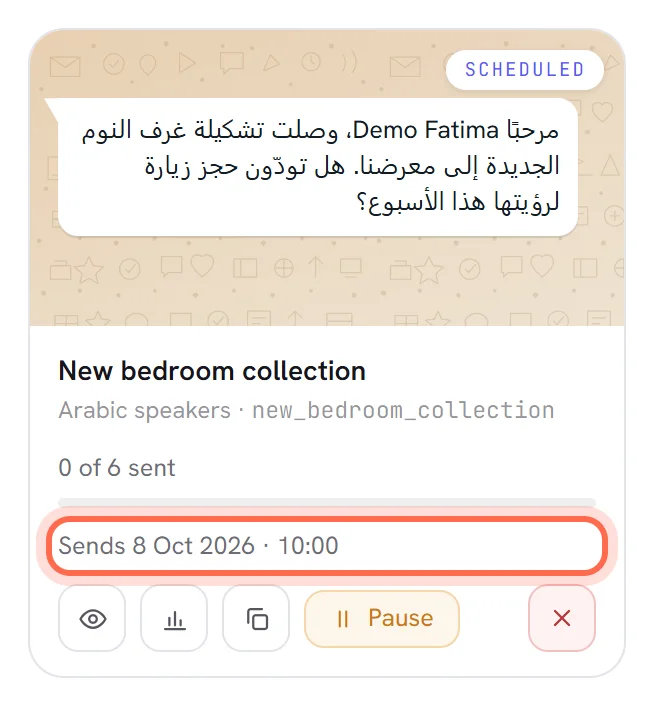
A draft with a set time does nothing by itself. It has to be launched before that time, with Schedule campaign in the window or Launch on its card. Launched after the time has passed, it starts at once.
The time of a scheduled campaign cannot be changed. Cancel it, duplicate it and schedule the copy. Changing the workspace’s time zone later does not move a campaign that is already scheduled: it still starts at the moment you chose.
Quiet hours
Quiet hours are the part of the day when your workspace does not start conversations. They are set once for the whole workspace: open Settings, the Notifications tab, and choose under Quiet hours between 22:00 – 07:00, 20:00 – 09:00 and none. See Notification settings.
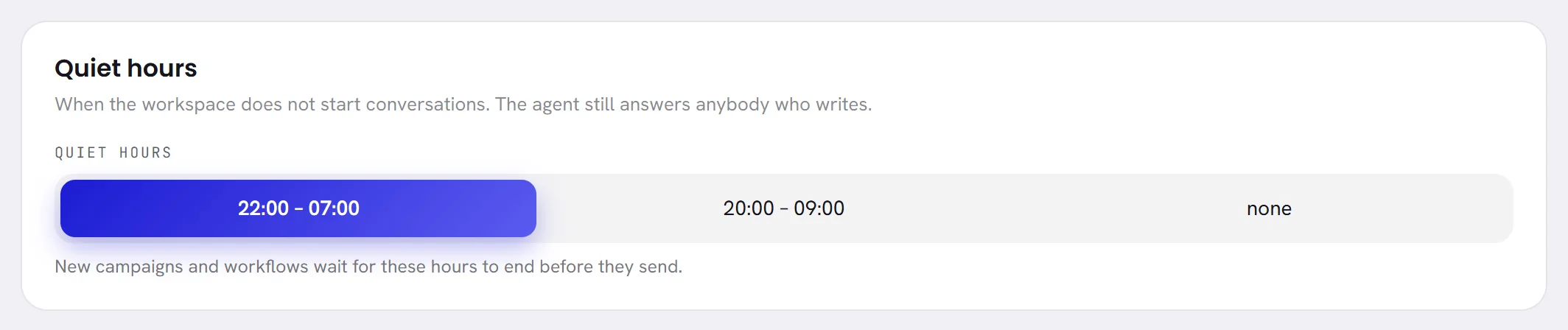
There is no quiet-hours choice in the campaign window. A campaign takes the workspace’s quiet hours at the moment it is created, and keeps them:
- Changing the setting changes the campaigns you create afterwards, not the ones that exist.
- A copy made with Duplicate keeps the hours of the campaign it was copied from. To use new hours, write a new campaign.
- The hours are read on the clock your workspace had when the campaign was created. If the time zone has changed since, the campaign names its own clock beside the hours.
Quiet hours hold what your workspace starts: campaigns and workflows. Your AI agent and your team still answer anybody who writes.
What happens to a message that falls in quiet hours
It is held, not dropped. Every message whose turn comes inside quiet hours is put off to the moment they end.
While it waits, the campaign still reads Sending, or Scheduled, and says why. Its card shows Quiet hours (22:00–07:00): sends from 07:00, and its window says the same in a sentence.
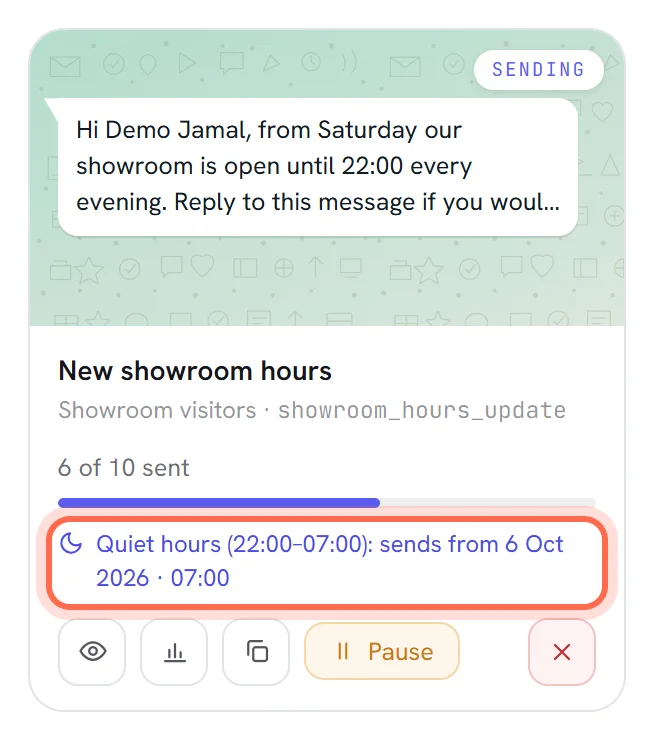
All the messages that were held become due at the same moment. They go out one after another as soon as quiet hours end, without the gap the sending speed would have put between them. Messages whose turn comes after quiet hours keep their turn.
How fast a campaign sends
Sending speed spaces the messages evenly. Each person is given a turn when sending starts: the first goes at once, the second one gap later, and so on to the last.
| Speed | One message every | 1,000 people take about |
|---|---|---|
| 120 messages an hour | 30 seconds | 8 hours 20 minutes |
| 300 messages an hour | 12 seconds | 3 hours 20 minutes |
| 600 messages an hour | 6 seconds | 1 hour 40 minutes |
| 1,200 messages an hour | 3 seconds | 50 minutes |
| 3,000 messages an hour | About a second | 20 minutes |
| 6,000 messages an hour | About half a second | 10 minutes |
Slower is safer. Meta rates a number on how people react to its messages, and thousands of identical messages in a minute is what a number about to be limited looks like. See Messaging limits and quality.
The speed cannot be changed once the campaign is launched. On the Campaigns screen, Still queued counts the people whose turn has not come yet.
Pause and resume
Press Pause on the campaign’s card or in its window.
The campaign becomes Paused and nobody else is written to. Messages already handed to WhatsApp are not recalled.
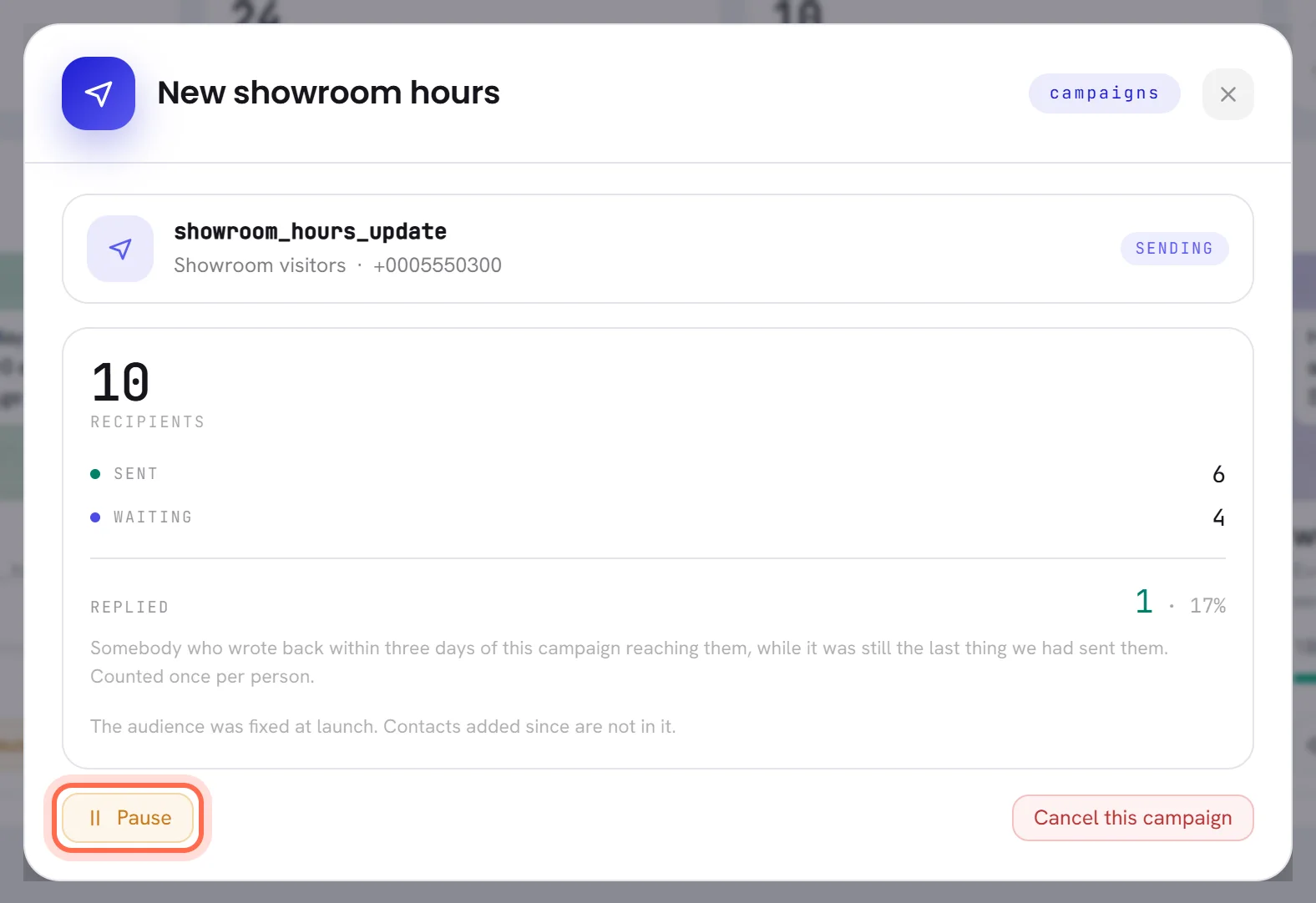
Press Resume when you want it to carry on.
Everybody still waiting is given a new turn from that moment, at the campaign’s speed and outside its quiet hours. Nobody receives the message twice. The audience is not counted again: people who joined the segment while it was paused are not added.
A scheduled campaign can be paused too. Resumed before its time, it still starts at its set time, although its card then reads Sending rather than Scheduled.
To stop a campaign for good, see Stop a campaign for good.
When WhatsApp slows or refuses messages
A campaign can only go as fast, and as far, as WhatsApp lets your number go. What the campaign does depends on what WhatsApp answers.
| What WhatsApp answers | What the campaign does |
|---|---|
| Messages are arriving too fast | The message steps back, waits the time WhatsApp asks for, or half a minute when it gives none, and is tried again. It is not counted as a failure. |
| Nothing: WhatsApp cannot be reached | The message is tried again, up to three times in all, within a few minutes. After that it is marked Failed. |
| The message is refused | It is marked Failed with WhatsApp’s reason, and the campaign carries on with the next person. |
| The message is accepted, and reported later as not delivered | It counts as sent on the card and in the window, and as not delivered on the results page, with WhatsApp’s reason. |
A limit on your number, or on how much marketing one person receives, shows in one of the last two ways. What those limits are, and how a number earns higher ones, is in Messaging limits and quality. The reason for each person is on the results page.
Try the failed messages again
Wait until the campaign has stopped.
The button appears on a campaign that is Sent or Paused and has at least one failed message. Its name carries the number, for example Try 1 again.
Press it, and confirm with try again.
The pop-up asks Send again to the 1 the network refused? People your own rules skipped — anyone who opted out — are never included.
The failed messages go back in the queue at the campaign’s speed, starting at once, and the campaign reads Sending until they are done. Every check is made again for each person, so somebody who opted out in the meantime is refused again.
- Only Failed messages are tried again. People who were skipped are never included, and neither are messages WhatsApp accepted and reported later as not delivered.
- A retry is not held by quiet hours: the messages start going as soon as you confirm. Press it at an hour when your customers can be written to.
- On a paused campaign with people still waiting, press Resume first: Resume is what gives them their turn again. Try the failed ones again once it has finished.
When your number cannot send
If Meta cannot charge the payment method on your WhatsApp account, your number stops sending. A banner at the top of every screen says that the number cannot send yet and that its WhatsApp account needs a payment method, with Sort it out for whoever manages the numbers. See Add a payment method at Meta.
A campaign does not fail while this lasts. Each message waits and is tried again every 15 minutes, and goes as soon as the number can send. A message still waiting six hours after its turn is marked Failed with the reason not sent: sending was paused, and the campaign’s window says how many there are. Once the number sends again, Try 1 again puts them back in the queue.
The same waiting applies when a free trial ends while a campaign is under way: its messages wait for a plan to be activated. See The free trial.
Good to know
- Scheduling, pausing, resuming and retrying need access to Campaigns and templates. Changing the workspace’s quiet hours needs access to The workspace and billing; everybody else sees them and cannot change them.
- A new workspace starts with quiet hours from 22:00 to 07:00.
- The audience of a scheduled campaign is fixed when you schedule it. Its messages are checked one by one when they go: consent, the template’s approval and the values for its blanks.
Questions
Can each customer receive it at nine o’clock in their own time zone?
No. A campaign starts at one moment for everybody, read on your workspace’s clock. If your customers live in different time zones, build a segment for each, for example by the start of their number, and schedule one campaign for each.
My campaign says sending and nothing arrives. Why?
Three things hold a campaign that is sending. Quiet hours: its card says so. A number that cannot send: a banner at the top of the screen says so. And the speed itself: at 120 messages an hour, the second person is written to thirty seconds after the first.
Can I change the time or the speed after launch?
No. Cancel the campaign, duplicate it, change the copy and send that. The copy goes to the whole segment again, including anybody the first one already reached.
I changed quiet hours in Settings. Why is my campaign still waiting?
A campaign keeps the quiet hours it was created with, and so does a copy of it. Only a campaign you write after the change takes the new hours.