What Reports answers
Reports shows what happened on your number over a period: how many conversations began, how much was written each way, whether your messages arrived, how long customers waited, who may be messaged, and how each desk and each campaign did.
Every figure is worked out from your messages each time the page opens. Nothing is stored, so nothing is out of date: reload the page and the figures are current.
Open Reports in the menu, under Work.
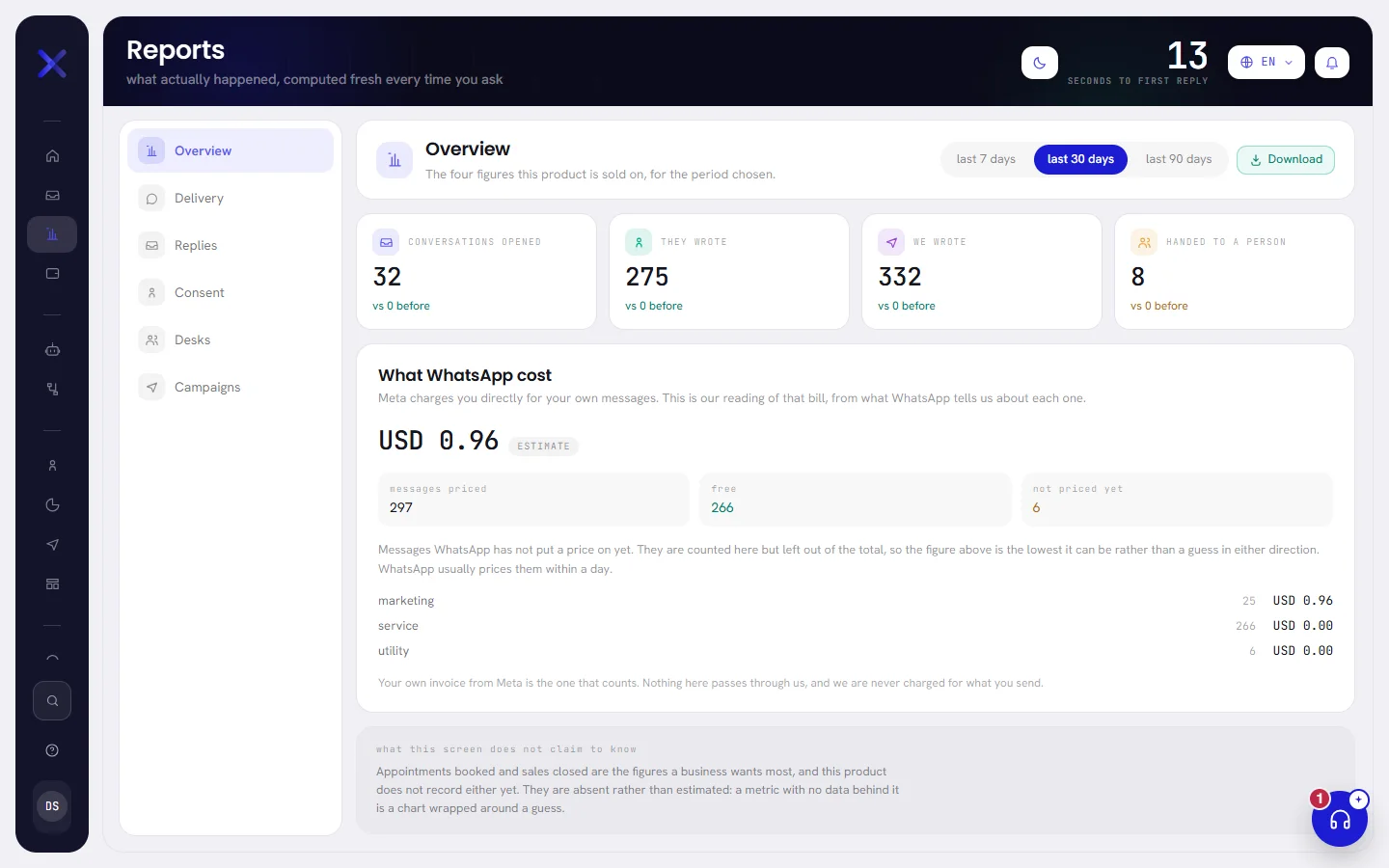
The six tabs
The list on the left holds one question to a tab.
| On the screen | What it does |
|---|---|
| Overview | The four headline figures, and what WhatsApp cost. The screen opens here. |
| Delivery | What became of the messages you sent, and why some did not send. See Delivery and replies. |
| Replies | How long customers waited for an answer. See Delivery and replies. |
| Consent | Who agreed to be messaged, who opted out, and how many contacts can be messaged now. See Consent and refusals. |
| Desks | The same questions for each of your teams. See Desk and campaign reports. |
| Campaigns | The campaigns launched in the period. See Desk and campaign reports. |
The tab and the period are part of the page’s address, so a bookmark, or a link sent to a colleague with access, opens the same tab on the same period.
Choose the period
At the top right of every tab, choose last 7 days, last 30 days or last 90 days. The screen opens on last 30 days, and changing the period keeps the tab you are on.
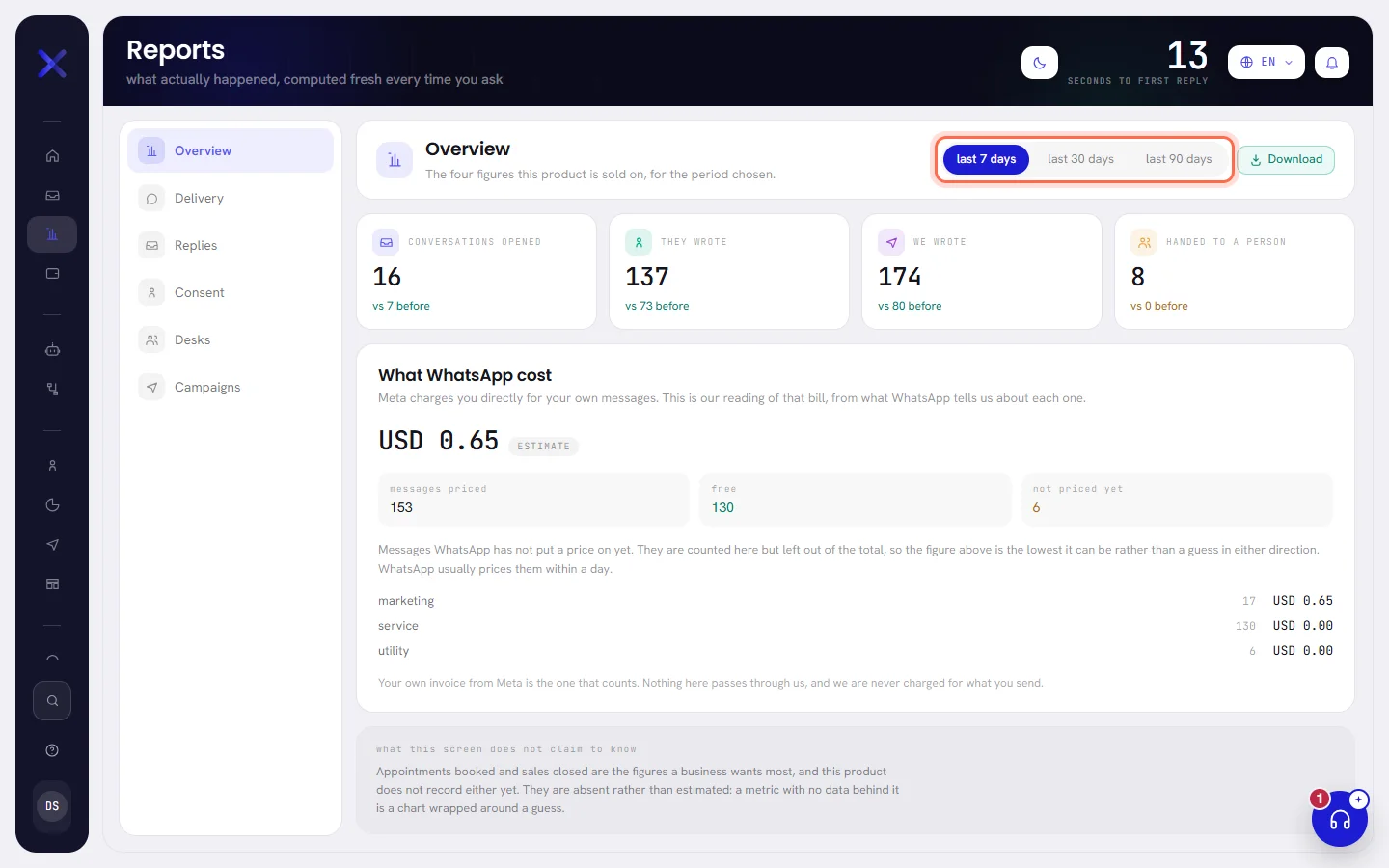
- A period is whole days on your workspace’s clock, and it includes today: last 7 days starts at midnight seven days ago and runs to this moment.
- Where a figure is compared, it is compared with the same number of days immediately before.
- The three periods are the only choices. There is no date picker.
The headline figures
The Overview tab starts with four figures. Under each is the same figure for the period before, as vs 212 before, or same as before when nothing changed.
| On the screen | What it does |
|---|---|
| Conversations opened | Conversations that began in the period. A conversation begins the first time a contact and your number exchange a message, whichever side writes first, so a campaign that reaches new contacts opens one for each of them. |
| They wrote | Messages your customers sent you. |
| We wrote | Messages that left your side: your AI agent’s replies, your team’s, templates and campaign messages. The notices the app writes into a conversation, for example when the agent hands it to a person, are counted here too. |
| Handed to a person | Conversations that a person holds now and that changed during the period. One that was given back to the agent is no longer counted. |
At the top right of the screen, Seconds to first reply is the typical wait over the last 30 days, in seconds, whatever period you chose. It is the same measure as Typical wait on the Replies tab.
What WhatsApp cost
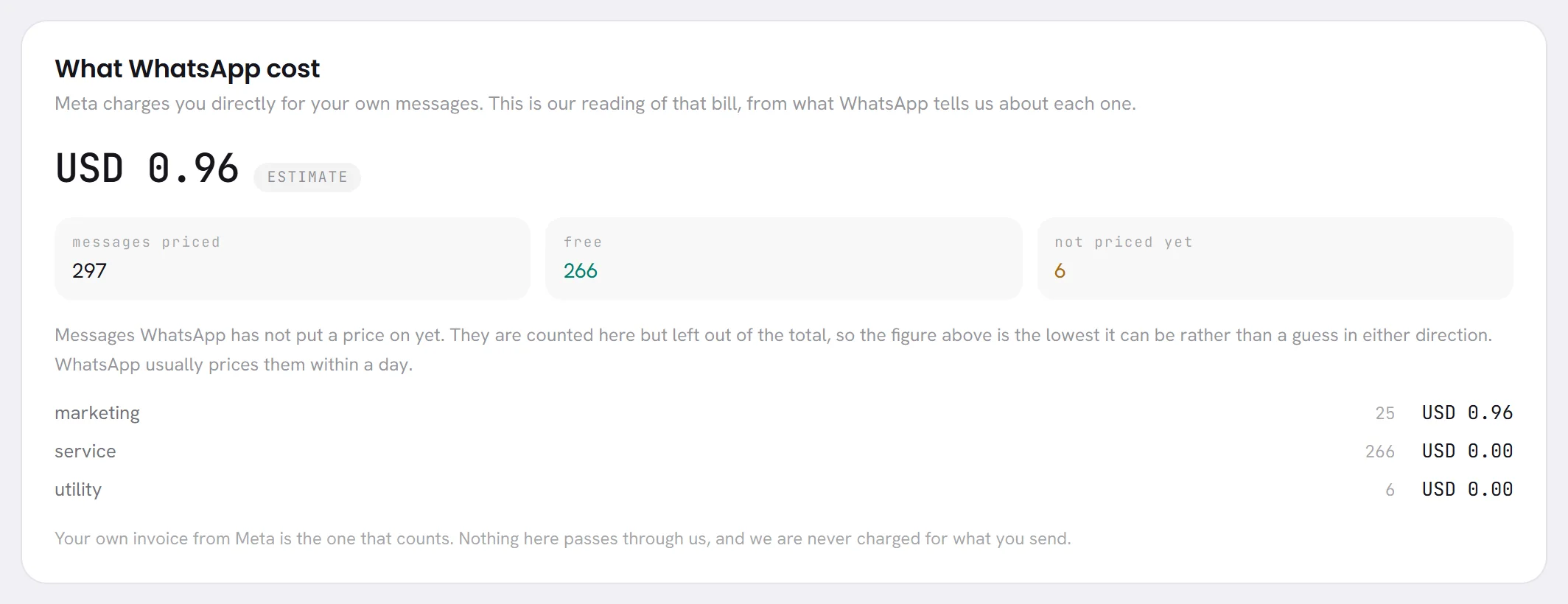
Under the four figures, What WhatsApp cost reads the price of your messages from what WhatsApp reports about each one. Meta bills your WhatsApp account directly: nothing here passes through xconversions, and your own invoice from Meta is the figure that counts. See What WhatsApp charges.
| On the screen | What it does |
|---|---|
| Estimate | Beside the total while part of it is not Meta’s own price yet: a message is still waiting for its price, or a price was worked out from a rate. |
| Meta’s own figures | Beside the total once every message in it has been priced by Meta. |
| messages priced | How many messages the panel counts: the ones you sent that were delivered or read in the period. Free ones, and ones with no price yet, are included. |
| free | Messages Meta did not charge for. |
| not priced yet | Messages WhatsApp has not put a price on. They are counted and left out of the total, so the total is the lowest it can be. WhatsApp usually prices them within a day. |
The total is in the currency of your WhatsApp account, which may not be your workspace’s. Under the three boxes, each category of message has its own line, the most expensive first, with how many messages and what they cost: marketing, utility, authentication, service, and the others Meta uses.
A message that failed is never priced, and replies typed in the WhatsApp Business app on a phone are not counted here. When nothing was delivered in the period, the panel says Nothing has been sent in this period, so there is nothing to price.
What the screen does not measure

Every tab ends with the same panel, what this screen does not claim to know. It says that appointments booked and sales closed are not recorded by the product. They are left out rather than estimated.
So Reports tells you about messages and conversations, not about money earned. For what one campaign produced, see Campaign results. For what your AI agent did, see Agent performance.
Tabs that depend on your plan
- Overview, Delivery, Replies and Consent are in every plan.
- Desks, Campaigns and the Download button depend on your plan.
On a plan without them, the two tabs stay in the list. Opening one shows a notice with a padlock in place of the figures, which names the plan that opens the desk and campaign reports, and the Download button is not shown. Whoever manages your plan also sees See the plans on the notice.
Plan & billing in Settings shows what your plan includes. See Plan limits.
When there is nothing to show
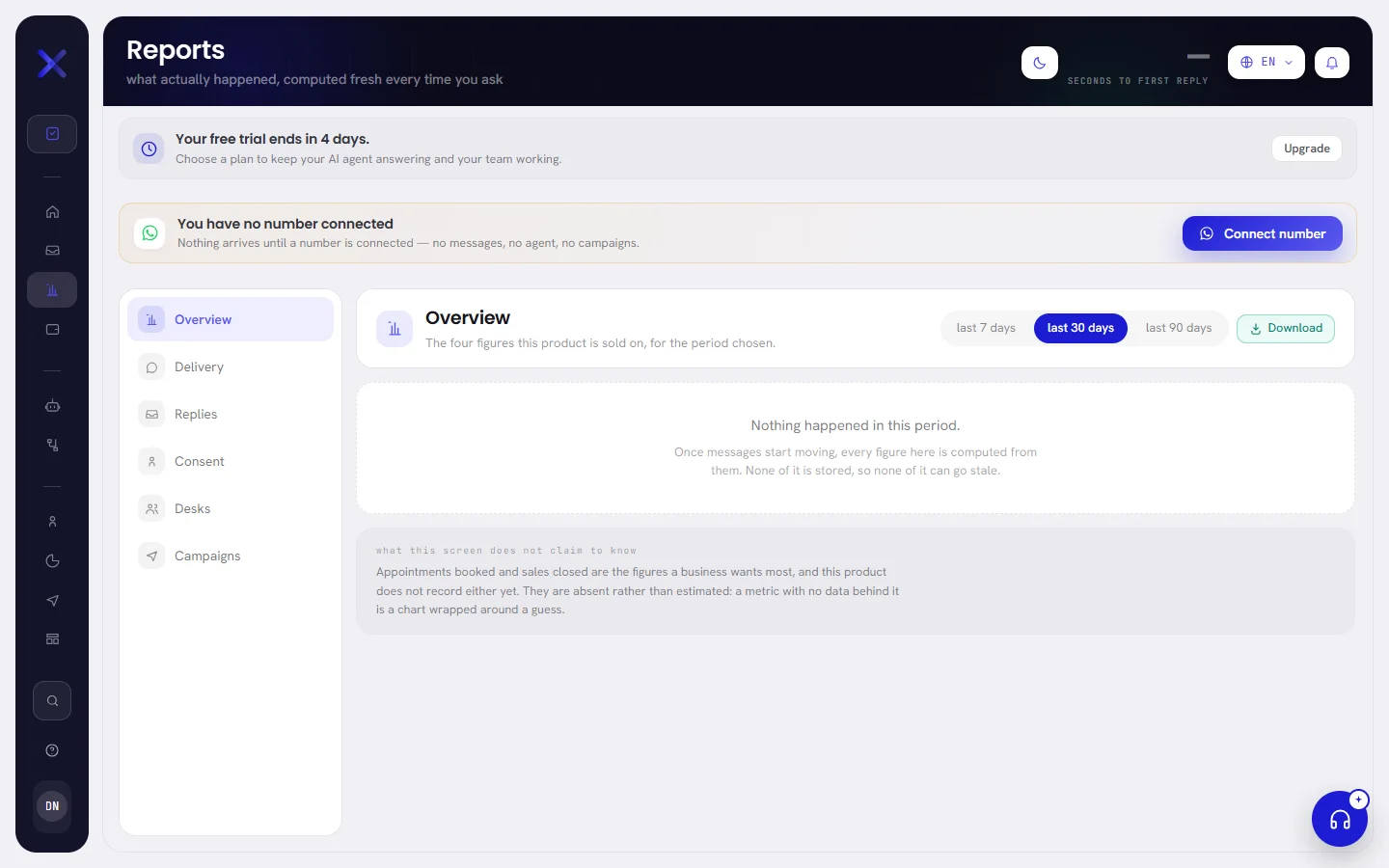
When no message was sent or received in the period, every tab says Nothing happened in this period. Choose a longer period, or come back once messages have moved.
Good to know
- Reports opens for anybody whose access includes Reports: org admins and managers, unless somebody changed it. See Roles and access.
- The figures cover the whole workspace: every number and every person.
- Days and times are on your workspace’s clock. See Workspace settings.
- The dashboard shows how today is going; Reports looks back over a period. See The dashboard.
Questions
Can I choose my own dates?
No. The periods are the last 7, 30 or 90 days, counted back from today.
Why is the cost here different from my Meta invoice?
The panel is a reading of what WhatsApp reports message by message. Part of it can be an estimate, and messages without a price yet are left out of the total. The invoice from Meta is the figure that counts.
Why is We wrote higher than the number of messages my customers received?
It counts everything written on your side of a conversation, including messages that failed and the notices the app writes for your team. The Delivery tab splits it by what became of each message.