What it is
Every time a customer writes to your number, WhatsApp starts a 24-hour timer for that customer. Meta calls it the customer service window. Each new message from the customer sets the timer back to 24 hours. A WhatsApp call from the customer counts in the same way, on a number that takes calls.
While the window is open you can answer in your own words. When it closes, the only thing WhatsApp delivers from you is a template that Meta has approved.
What you can send
| Window open | Window closed | |
|---|---|---|
| Replies in your own words, files, voice notes | Yes | No |
| Your AI agent’s replies | Yes | No |
| Approved templates | Yes | Yes |
| Who sends | Your team from the Inbox, and the agent | A campaign or a workflow |
A customer who has never written to you has no window at all. To reach them you need an approved template and their opt-in.
Whether a message is free or charged is a separate question: see What WhatsApp charges.
When the window is closed
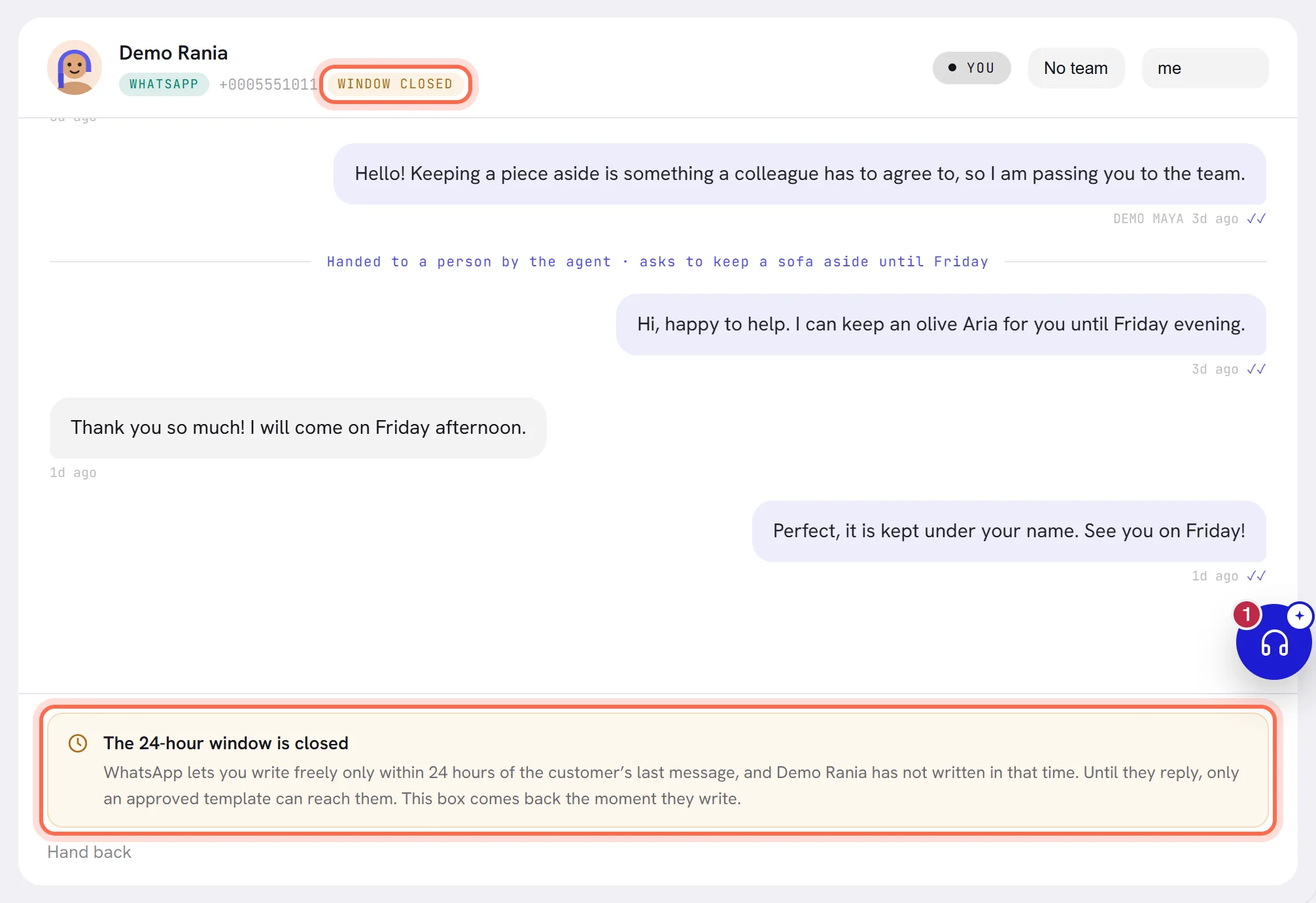
In the Inbox, a conversation whose window has closed shows WINDOW CLOSED beside the customer’s number. Where the reply box was, a notice titled The 24-hour window is closed says that only an approved template can reach this customer until they reply.
The reply box comes back the moment the customer writes. If the window closes while a reply is on its way, the message is marked not delivered, with the reason under it.
To reach the customer in the meantime:
Check that you have an approved template.
Templates shows the status of each one, and only APPROVED templates can be chosen. If you have none, create a template.
Wait for the reply.
When the customer answers, the window opens again and your team or the agent carries on in their own words.
Chats that start from an ad
When a customer writes to you by tapping an ad that clicks to WhatsApp, and you reply inside the 24-hour window, Meta opens a second, free window for that customer. Meta says it may stay open for up to 7 days from your first reply. While it is open, Meta does not charge for what you send that customer: replies, and templates of every category.
It changes the price, not the rule. Your own words still need the 24-hour window. Once that closes you are back to templates, which stay free until the free window ends.
It applies when the customer wrote from WhatsApp on a phone, not from WhatsApp on a computer. xconversions does not mark which chats are in a free window.
Your AI agent, workflows and campaigns
- Your AI agent answers customers who write, so it always works inside the window. A follow-up it has planned is sent only while the window is still open; one that falls due after it closes is not sent.
- Workflows and campaigns send approved templates, so they work whether the window is open or closed. They still need the customer’s consent, and they count towards your messaging limit.
- On a number shared with the WhatsApp Business app, a reply typed in the app on the phone is not bound by the window. The window applies to what is sent from xconversions.
Questions
Does my reply restart the 24 hours?
No. Only a message from the customer does.
Does sending a template open the window?
No. It opens when the customer replies to it.
Can I see how much of the 24 hours is left?
xconversions does not show a countdown. The window closes 24 hours after the customer’s last message.
Is everything I send inside the window free?
Not since 1 October 2026. Meta now charges for templates sent inside the window, and for replies beyond the first 1,000 a month on each number. See What WhatsApp charges.
A campaign reached a customer and I cannot reply to them. Why?
They have not written back yet, so no window is open. The reply box appears as soon as they answer.