What the Workspace tab is
The Workspace tab holds what is true of the whole business rather than of one person: what it is called, the currency its money is counted in, and the clock it keeps. The other screens read these, so a change here shows everywhere, for everybody.
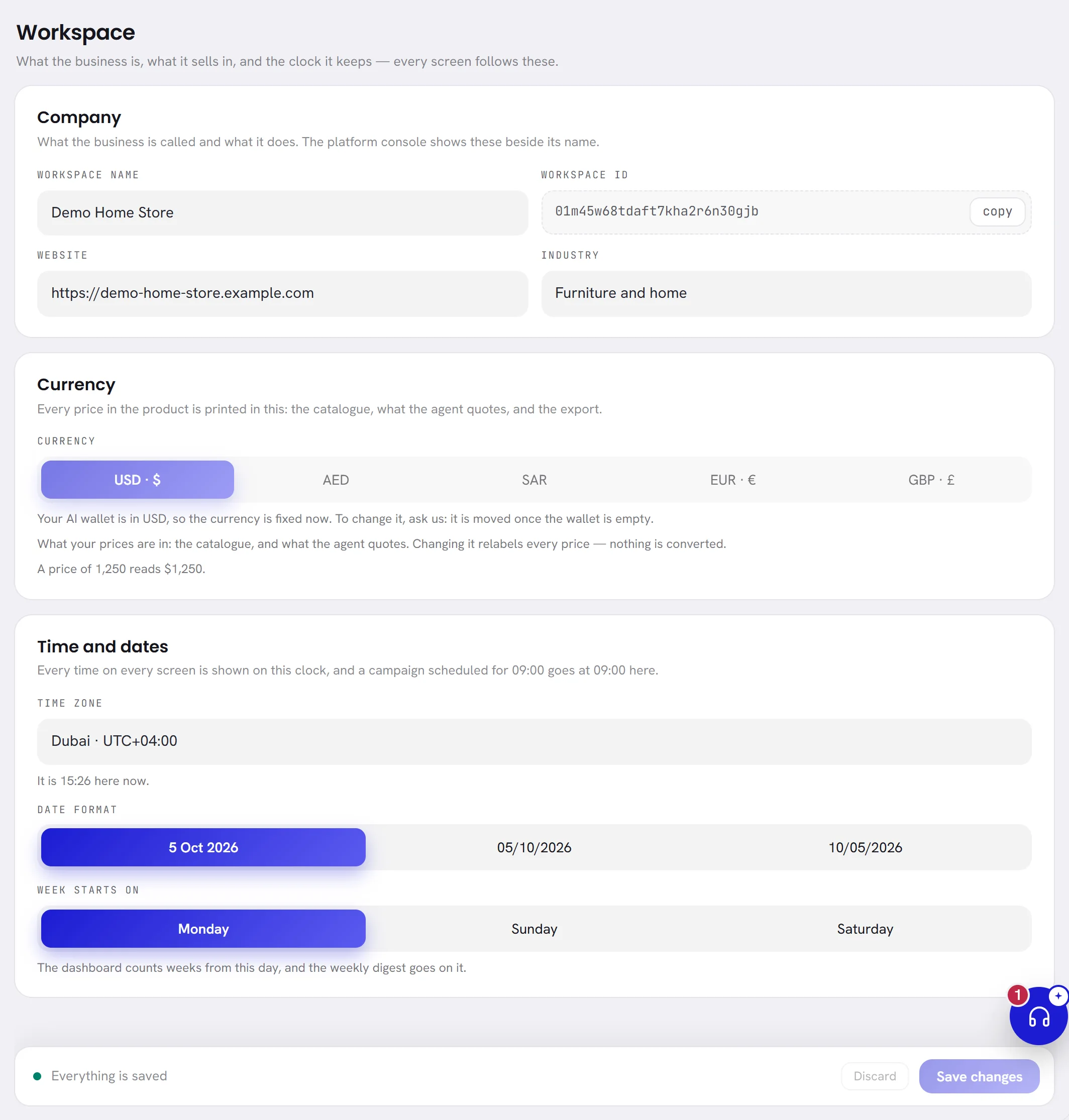
Everybody in the workspace can open the tab and read it. Changing it is for whoever manages the workspace: see Who can change it.
Change a workspace setting
Open Settings, then Workspace.
Change what you need in the three cards: Company, Currency and Time and dates.
Choose Save changes in the bar at the foot of the tab.
The three cards are saved together. Nothing changes for anybody until you save, and leaving the tab before saving loses your changes without a warning.
Company
Who the business is. Our support team sees these beside your workspace when you write to us.
| On the screen | What it does |
|---|---|
| Workspace name | Required, up to 120 characters. It is shown on each person’s Profile tab as their company, in the subject of the digest email, and to our support team. |
| Workspace ID | The reference of your workspace. It never changes. Choose copy to copy it, and quote it when you write to support: it is what we find your workspace by. |
| Website | Optional. Your site’s full address, starting with https:// or http://. |
| Industry | Optional. What the business does. Type your own, or pick one of the suggestions that appear as you type, such as Retail or Real estate. |
Currency
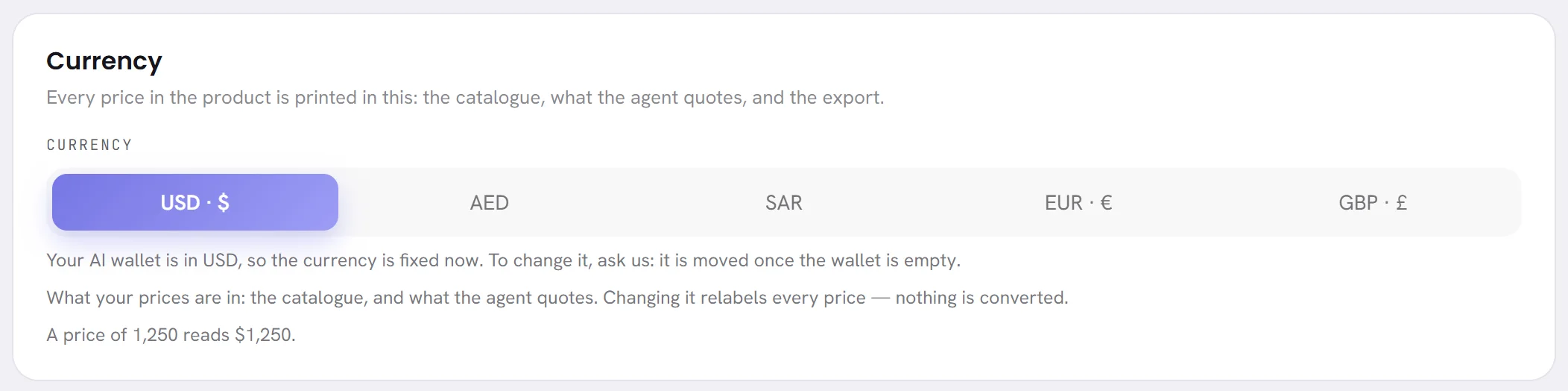
A workspace has one currency: US dollars, UAE dirhams, Saudi riyals, euros or pounds sterling, written on the screen as USD, AED, SAR, EUR and GBP. A new workspace starts in US dollars.
It decides three things:
- The currency of your AI wallet. The wallet opens in the workspace’s currency the first time money touches it: the first reply your AI agent is charged for, or the first top-up you ask for.
- The currency the amounts on AI usage are shown in.
- The currency of the WhatsApp cost calculator, when the calculator holds Meta’s rates in it: US dollars and UAE dirhams. For the other three it shows dollars, and says so.
Nothing is converted from one currency to another. The last line of the card shows how an amount is written in the currency chosen.
Time and dates
| On the screen | What it does |
|---|---|
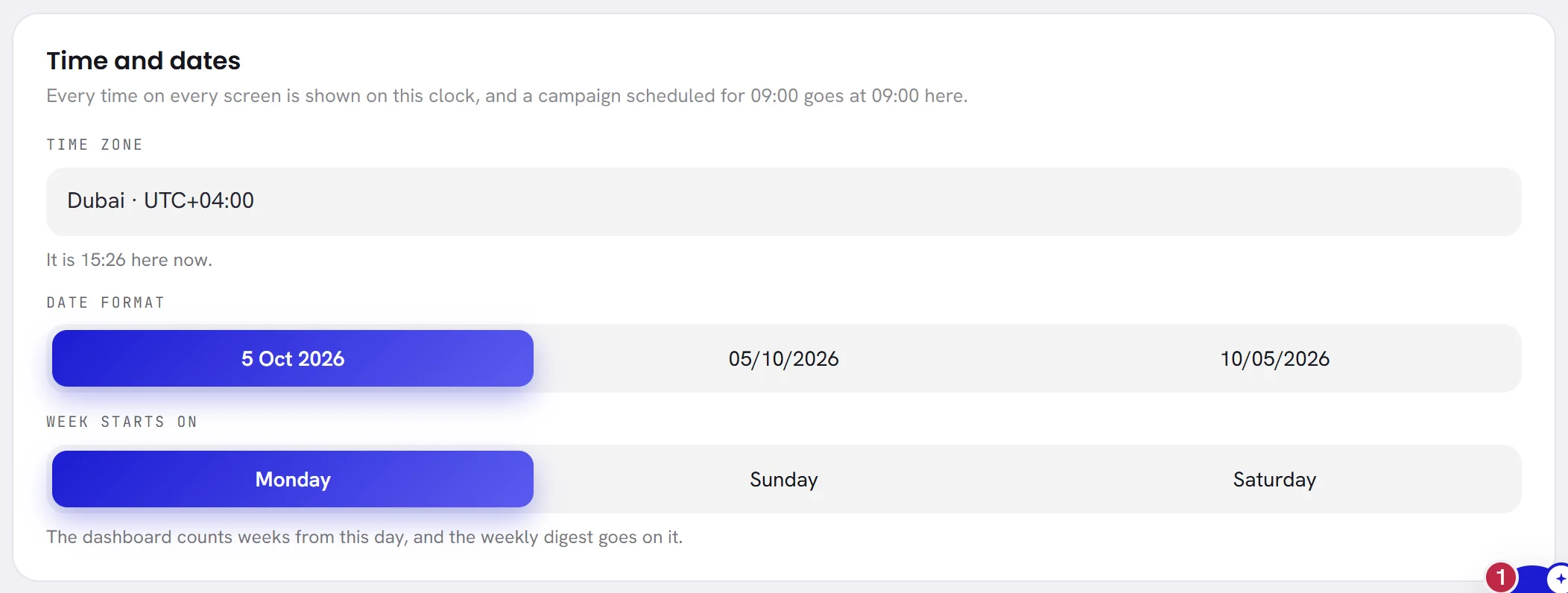
| Time zone | The clock the whole workspace keeps. Every time on every screen is shown on it, whoever is looking and wherever they are. A campaign scheduled for 09:00 goes at 09:00 on this clock. Quiet hours, the email digest at 08:00, the days of your reports and of your AI usage, and the times in the activity log all follow it. The list offers the cities of the region, London, Paris, New York and UTC, each with its difference from UTC, and the line under it says what time it is there now. |
| Date format | How a date is written on every screen. Each of the three choices shows today’s date written that way: day, month name and year; day, month and year in figures; or month, day and year in figures. |
| Week starts on | Monday, Sunday or Saturday. The dashboard counts its weeks from this day, and the weekly email digest is sent on it. |
A workspace starts on the time zone of the browser it was created in. Changing the time zone moves every time shown on every screen, for everybody, as soon as you save.
Who can change it
An org admin can change everything on this tab, and so can anybody whose access includes The workspace and billing. See Roles and access.
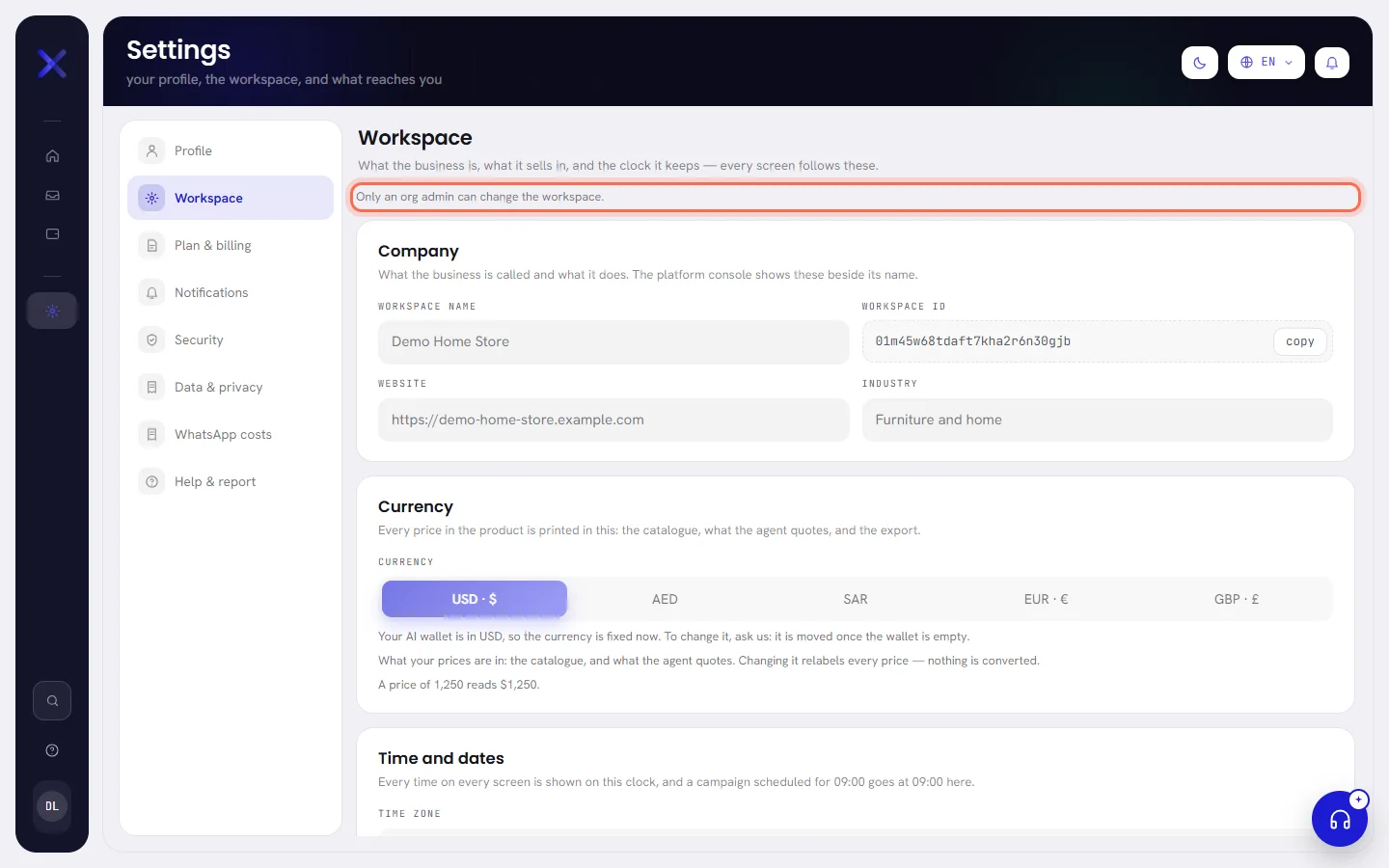
Everybody else sees the same three cards greyed out, without the save bar, under the line Only an org admin can change the workspace.
A change made here is written to the workspace’s activity log, with what the name, the currency, the time zone, the date format or the first day of the week was before, and what it became.
Questions
Why can I not change the currency?
Because your AI wallet is open, in the currency the workspace had when it opened. The line under the choices says which one. Write to support to have it moved.
My city is not in the list of time zones.
Choose a city on the list that keeps the same time as yours all year. The difference from UTC is written beside each one.
Does changing the time zone change when my customers get messages?
It changes what time “09:00” means for what you schedule from now on. A campaign that is already scheduled keeps its moment.