What you can dispute
You can dispute a charge: a line that took money from your AI wallet.
| Line | Can it be disputed? |
|---|---|
| AI usage, a day of it | Yes. |
| Correction that took money out | Yes. |
| Top-up and Plan payment | No. That is money you sent. If a transfer went wrong, write to support with your bank’s confirmation. |
| Free credit, Included AI usage, Refund, a correction in your favour | No. Nothing was charged. |
Dispute a charge
On the Ledger, press the charge.
Its window opens. Look at what is behind it first: for a day of AI usage, the conversations it was charged for.
At the foot of the window, under Something wrong with this charge?, write what is wrong in What is wrong.
Say it plainly, in up to 1,000 characters: for example that nobody wrote to you that day, or that the shop was closed. Our team reads exactly what you write.
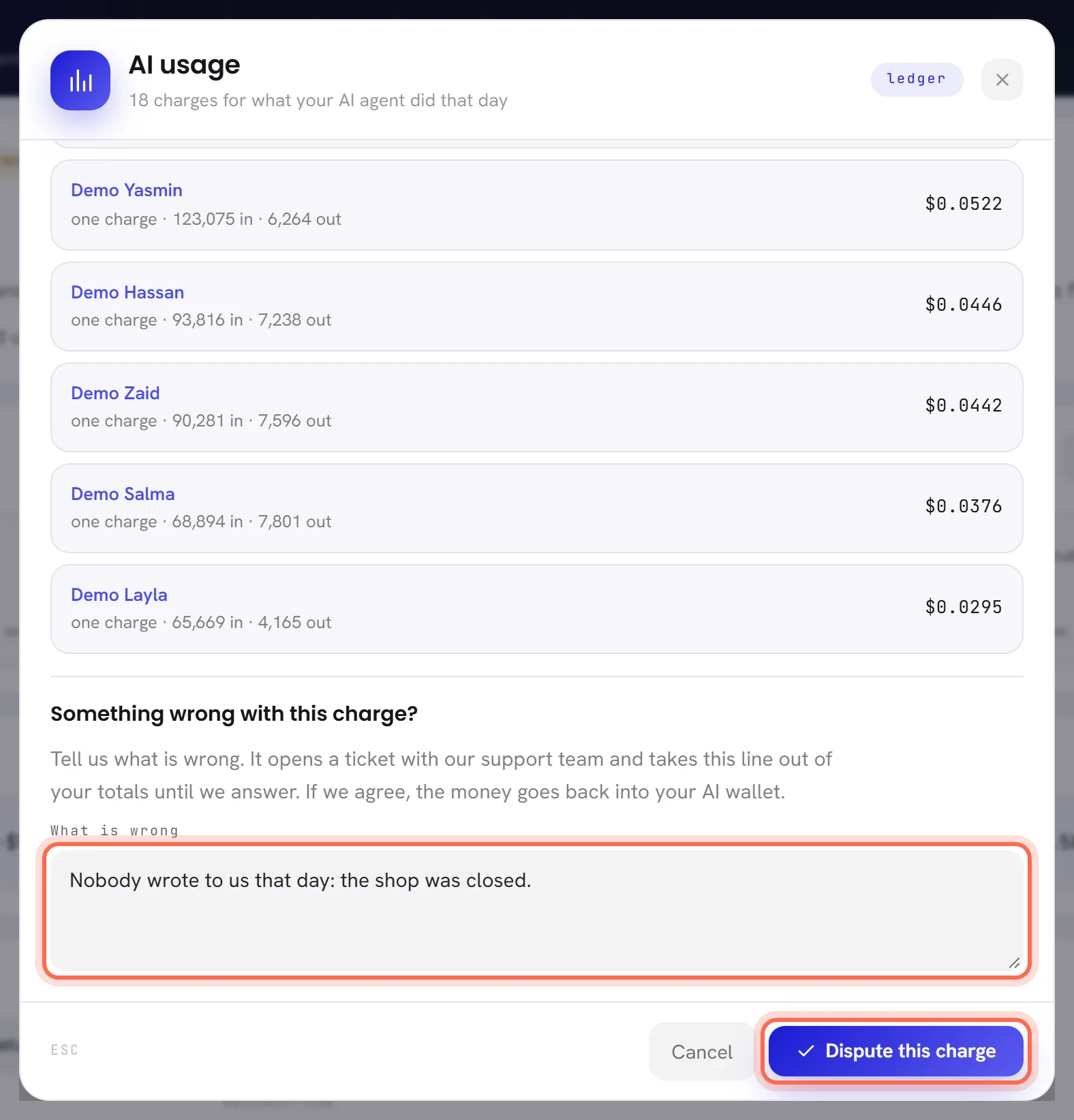
Press Dispute this charge.
The message Dispute sent appears, and the window now shows the dispute.
While it waits for our answer
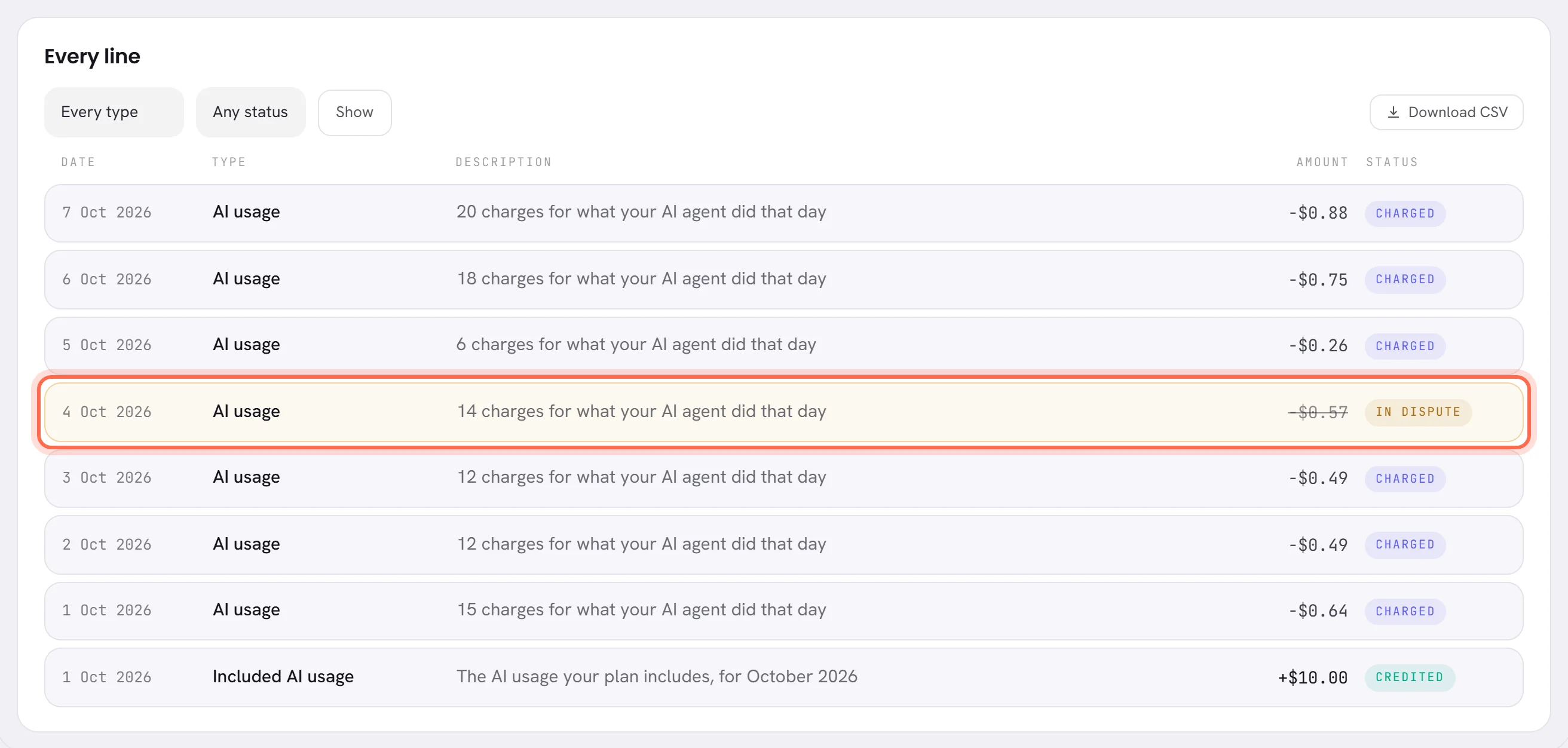
- A request opens with our support team, with the line, its amount and what you wrote. It is in the Help panel with your other requests: see Follow a request.
- The line is marked In dispute and its amount is struck through.
- The line is left out of Charged in these days and of By type. The badge on the first card says how many charges are waiting, and what they come to.
- No money moves yet. The charge itself is not touched.
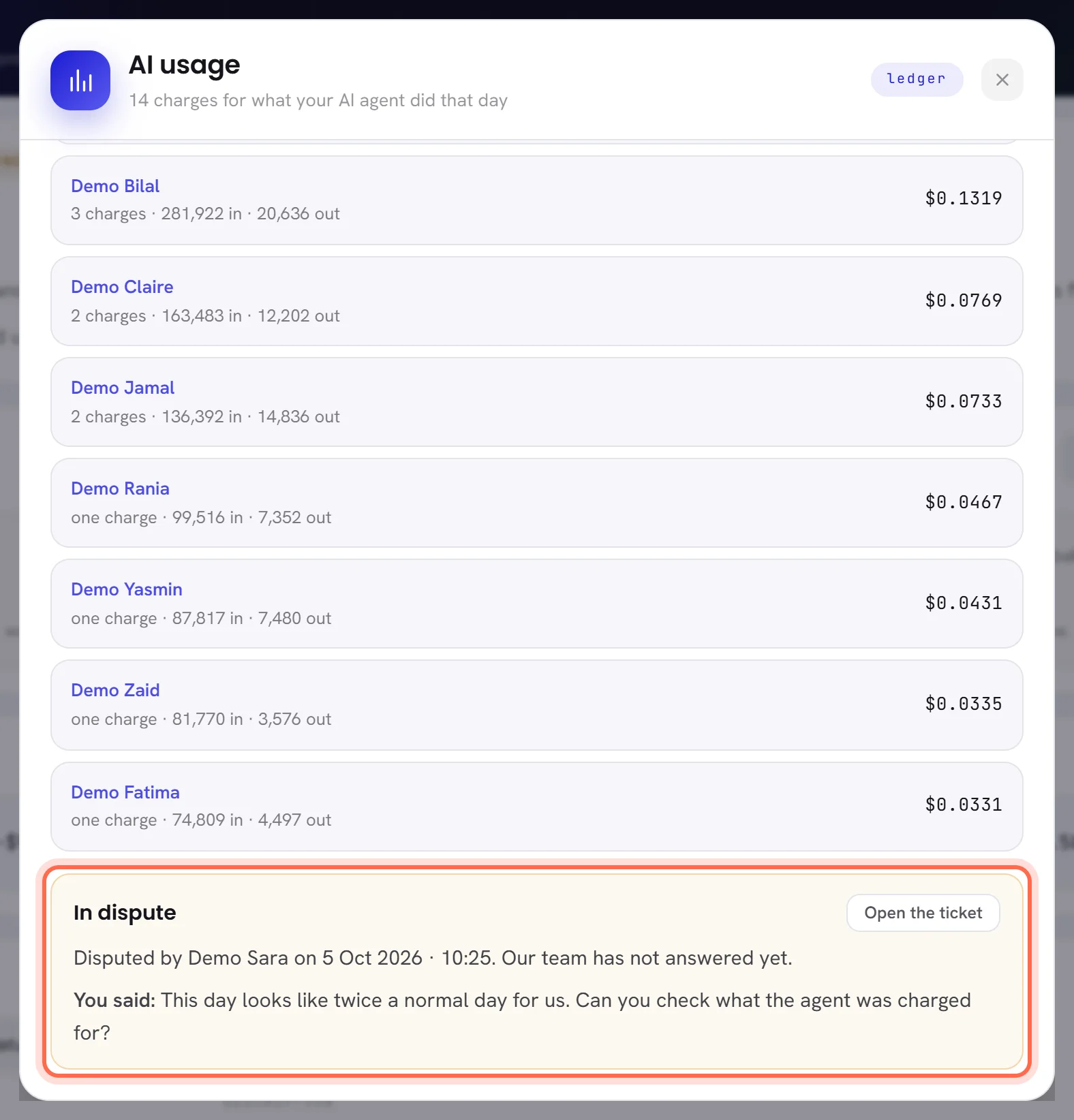
The line’s window says who disputed it and when, and repeats what was written after You said:. Open the ticket opens the request in the Help panel.
Our answer
Somebody on our team looks at the charge and answers one of two ways. Either way, the answer is on the line, and our team writes it on the request too: you are told as for any other request.
| On the screen | What it does |
|---|---|
| Refunded | We agree, for all of the charge or for part of it. The money goes back into your AI wallet at once, as a line of its own, Refund. The charge’s line says Refunded and counts in the figures again, with the refund counted beside it. |
| The charge stands | We do not agree, and say why. The line goes back to Charged and counts in the figures again. |
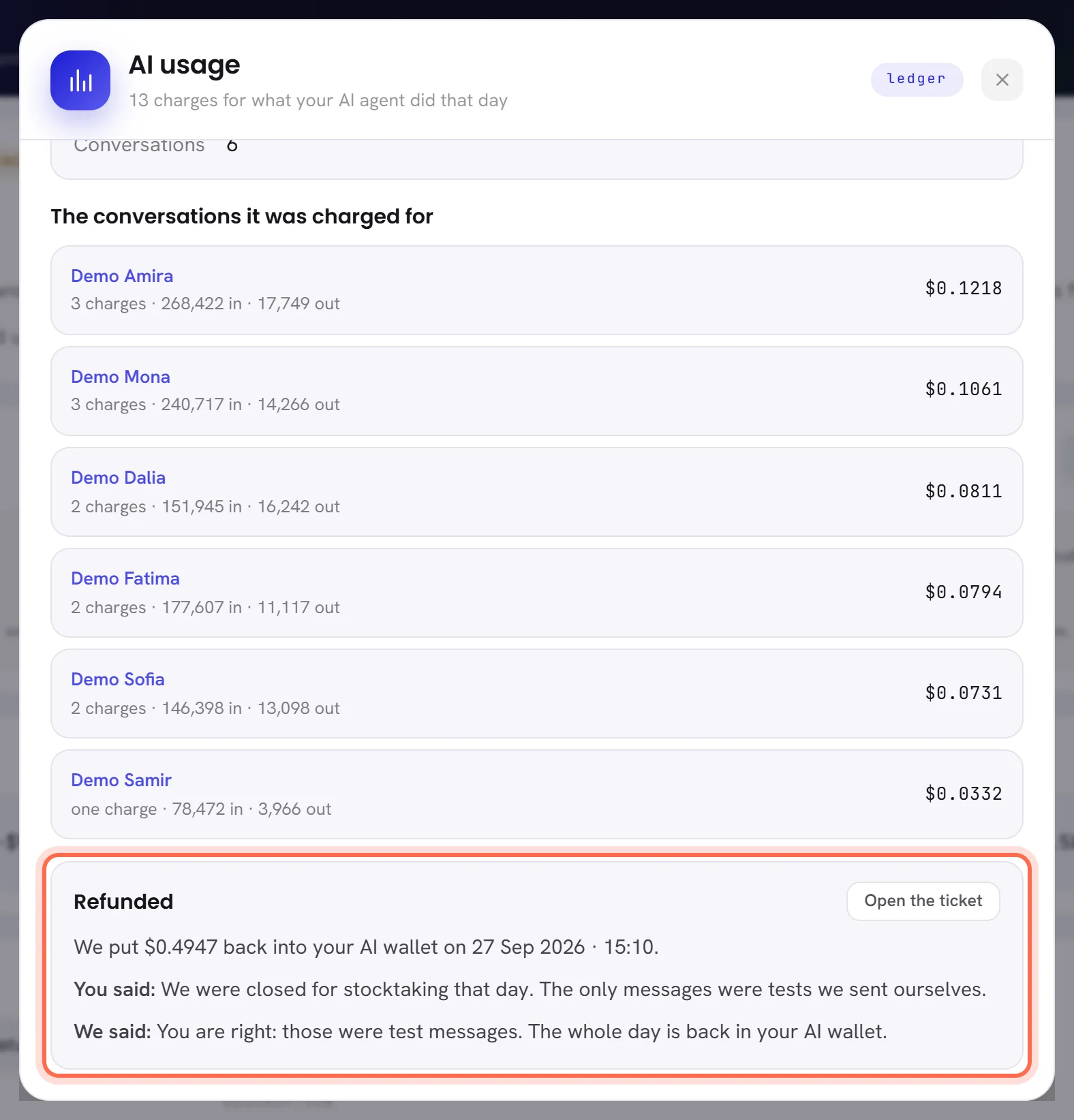
Open the line to read the answer, after We said:. For a refund, the window also says how much was put back, and when.
If you do not agree with the answer
A charge is disputed once. The window of a line we have answered has no box to dispute it again.
To say more, answer on the request: press Open the ticket in the line’s window and write there. When the request asks whether it was solved, say no, and it goes back to our team.
Good to know
- Who can dispute: people whose access includes The workspace and billing, the same people who see the ledger.
- Today’s AI usage can be disputed too. The dispute is about the whole day, whatever it comes to by the end of it.
- A refund is never more than the line charged.
- Disputing a charge is written in the activity log, with who did it.
- A dispute opens a request, and one person can open 10 requests in an hour. After that the window says You have opened several tickets in the last hour. Add to one of them, or try again later.
Questions
Does my agent stop while a charge is in dispute?
No. A dispute changes nothing about how your agent works or what is in the wallet. It only sets the line aside on the ledger until we answer.
Can I dispute a top-up or a plan payment?
No. Those are payments you sent, not charges. If a transfer went wrong, write to support with your bank’s confirmation.
Can I take a dispute back?
There is no button for it. Write on the request that you no longer dispute the charge, and our team answers that the charge stands.
Where does a refund go?
Into your AI wallet, as the line Refund. It is also in Wallet history on the AI usage screen.