What a connected app is
A connected app is an AI app you already use, such as Claude, ChatGPT or Cursor, that you let into your xconversions workspace. You then ask it in your own words, in that app: “who is waiting for a reply?”, “write a template that says an order is ready”, “prepare a campaign for my returning buyers”. It reads and builds in your workspace for you.
It is connected the way that app adds any other connector, with one address. It works only after an Org admin of your workspace has signed in and said what it may do.
What an app may do
An org admin ticks up to three things on the screen that connects the app. An app can do only what was ticked.
| Tick | What the app can do |
|---|---|
| Read | See your contacts, the conversations waiting for a person, one conversation and its latest messages, the dashboard’s figures and the AI wallet. |
| Build | Make and change AI agents and what they know, workflows, templates and campaign drafts, and ask a draft agent a sample question. Nothing it makes goes live. |
| Launch requests | Ask for a campaign to be launched, an agent to be published or put live, a workflow to be enabled, or what a live agent knows to be changed. Each request waits for an org admin to approve it in xconversions. |
What an app builds is always something a person still has to switch on:
- A new AI agent is a draft. A change to a live agent is a saved version that customers are not answered by yet.
- A workflow is created disabled, and an app can change it only while it is disabled.
- A template is written and can be sent to Meta for review. The approval is Meta’s.
- A campaign is a draft: nobody is written to.
- An agent that is not live is taught directly. What a live agent knows is never changed by an app: it asks, and an org admin approves.
When an app asks a draft agent a sample question, the answer is charged to your AI wallet, like a preview in the app. A workspace can ask 30 of them an hour this way.
What an app can never do
Whatever is ticked, a connected app can never:
- Send a message to a customer.
- Remove a contact.
- Change consent or an opt-out.
- Touch billing or your plan.
- Manage people.
It cannot ask for these either. Launching a campaign, publishing an agent and enabling a workflow happen only when an org admin approves the request: see Approve what an app asks for.
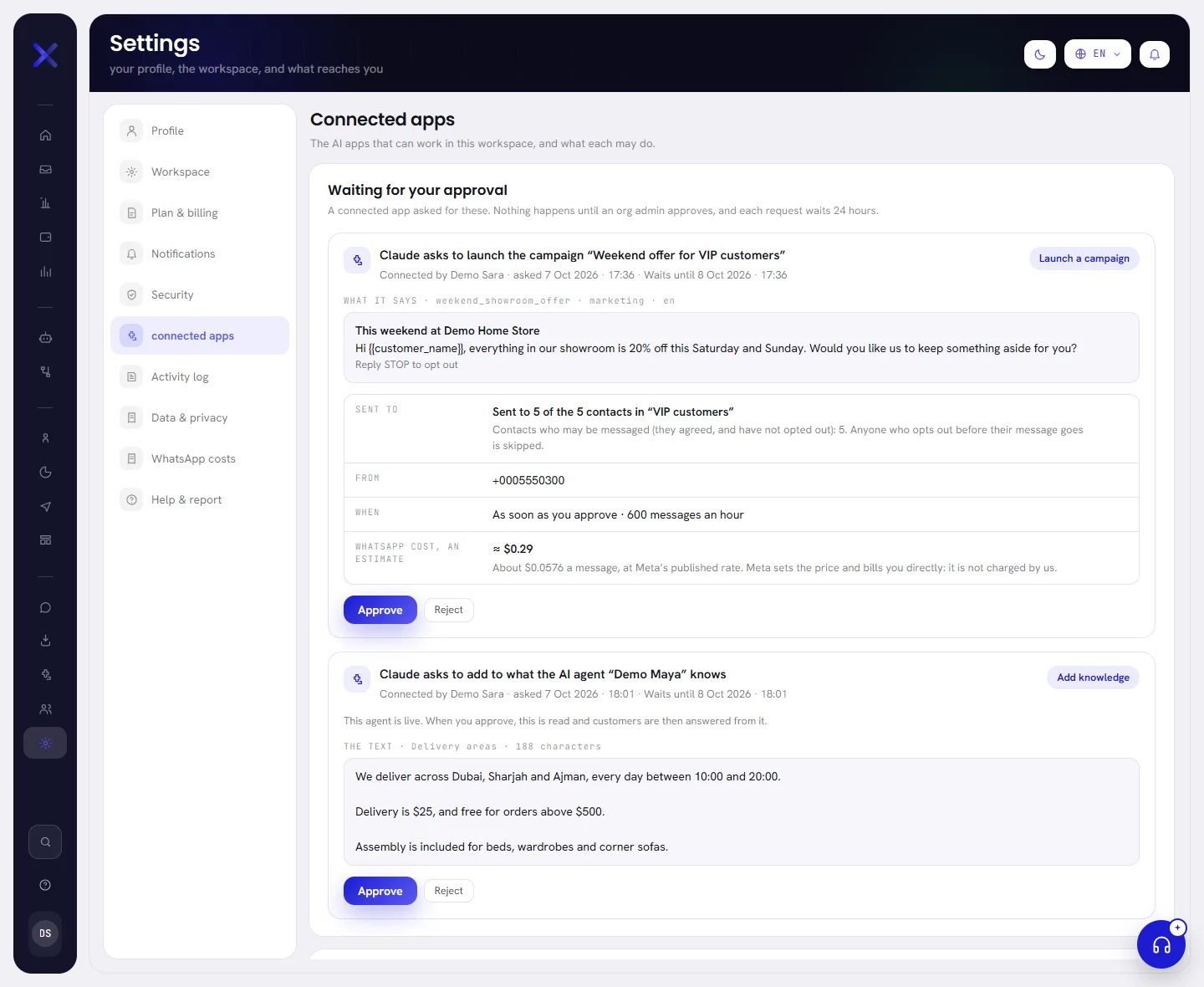
The Connected apps screen
Open Settings, then Connected apps. It is an org admin’s tab.
| On the screen | What it does |
|---|---|
| Waiting for your approval | What connected apps asked for and only a person may do. It is there only while something waits. See Approve what an app asks for. |
| Decided lately | What apps asked for and how it ended: approved, rejected or expired. |
| What is connected | One line for each app: its name, where it returns to, who connected it and when, when it was last used, and what it may do. |
| Disconnect | Ends one app’s access at once. See Disconnect an app. |
| Disconnect all | Ends every app’s access in one press. |
| How to connect | Your workspace’s address, with a button to copy it, and where to put it in three apps. See Connect an app. |
Good to know
- Who: only an org admin connects an app, approves what it asks for, or disconnects it. The app acts as the admin who connected it, and stops working the day that person is no longer an org admin.
- What it reads goes to the app: names, numbers and messages. Connect only an app you trust.
- Everything an app does is written in the Activity log: who connected it, which app, and what it asked for. What a message said is never written there. See Activity log.
- Your plan: connected apps come with some plans. On a plan without them, the tab says Connected apps are not on your plan and gives the way to the plans. See Plan limits.

Questions
Which apps can I connect?
Any AI app that can add a custom connector, also called an MCP server. How to connect gives the steps for three of them.
Is a connected app the same as my AI agent?
No. Your agent answers customers on WhatsApp. A connected app works in your workspace for you, and never writes to a customer.
Is what an app does charged?
What an app reads and builds is not charged. One thing is: when it asks a draft agent a sample question, the answer is charged to your AI wallet, like a preview in the app.