Disconnect one app
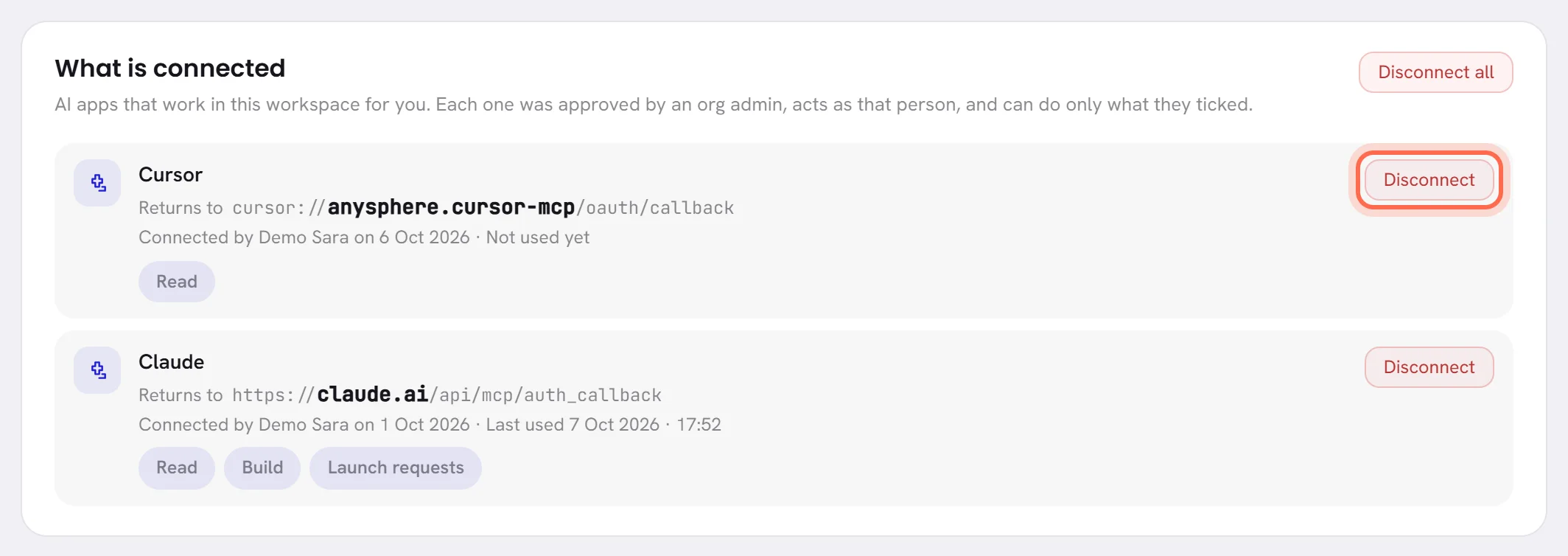
Open Settings, then Connected apps.
Under What is connected, press Disconnect on the app’s line.
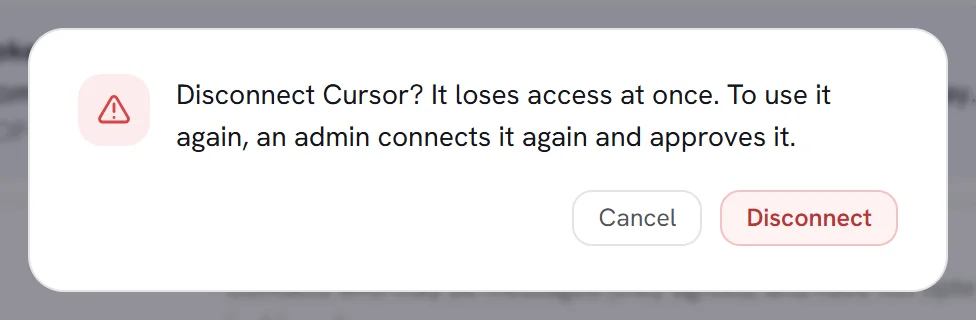
Confirm in the pop-up.
It says It loses access at once. To use it again, an admin connects it again and approves it.
The app leaves the list, and its next request is refused.
Disconnect every app at once
This is for the day something looks wrong and there is no time to find out which app it is. Press Disconnect all, above the list, and confirm. Every app loses access at once, and the screen says how many were disconnected.
What ends, and what stays
What ends:
- The app’s access, at once.
- Anything it had asked for that was still waiting. Those requests are rejected.
What stays:
- Everything it built: agents and what they know, workflows, templates and campaign drafts.
- What was already approved. A launched campaign stays launched.
- Its lines in the Activity log and under Decided lately.
When an app stops working by itself
An app is asked again at every request whether it may still work here. It is refused when:
- The admin who connected it is no longer an org admin, or has left the workspace.
- Your plan no longer includes connected apps. The apps stay on the list so that you can disconnect them.
- The workspace is suspended.
- It was not used for 60 days.
Nothing is deleted in any of these cases. When the reason is gone the app works again, except after 60 days without use: connect it again then.
Good to know
- To use an app again, connect it again: see Connect an app.
- Disconnecting here does not remove the connector inside the app. Remove it there too if you no longer want it.
- Only an org admin disconnects an app.